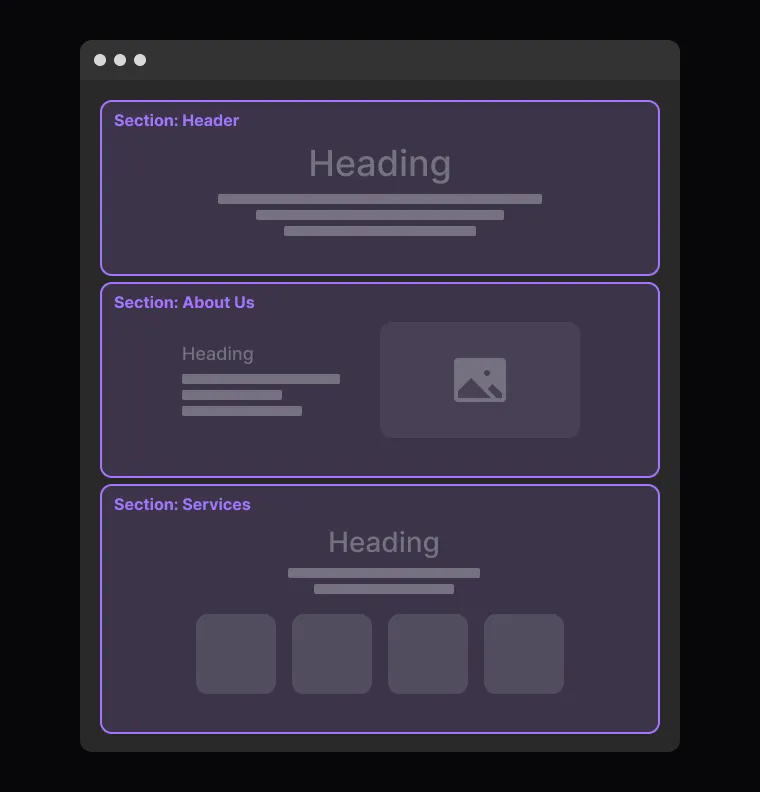
The section tag groups related content on your webpage, similar to how a bookshelf organizes books by category.
Sections offer the flexibility to add space between content areas, set unique backgrounds, and control typography within the section, affecting all contained elements except those with direct styling, like heading tags.
Understanding sections and hierarchy
A clear hierarchy is crucial. A section should generally come first, followed by a container which then holds various elements like text, images, and more.
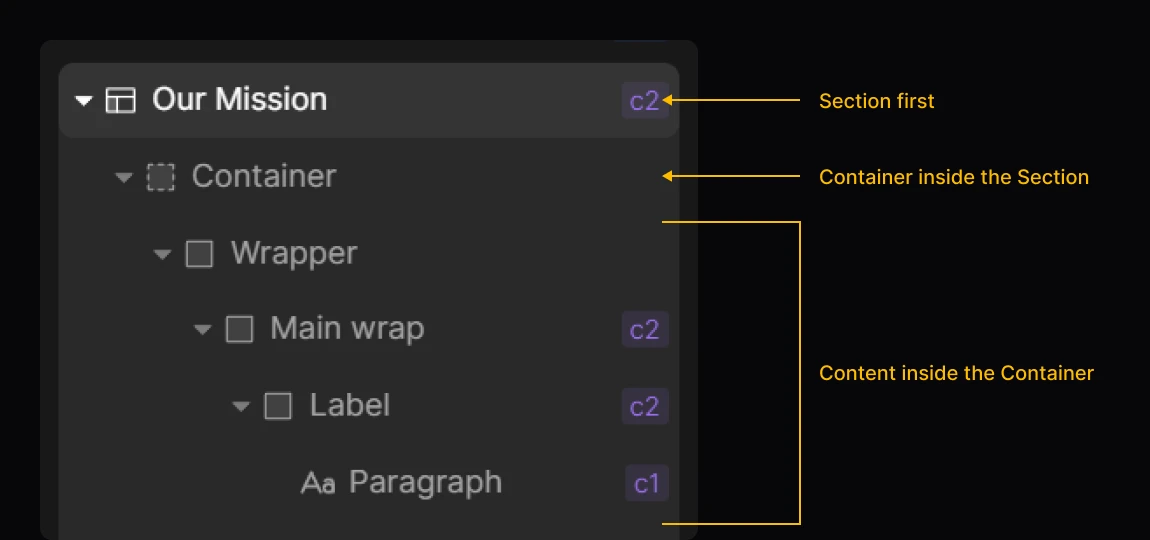
Creating a new section
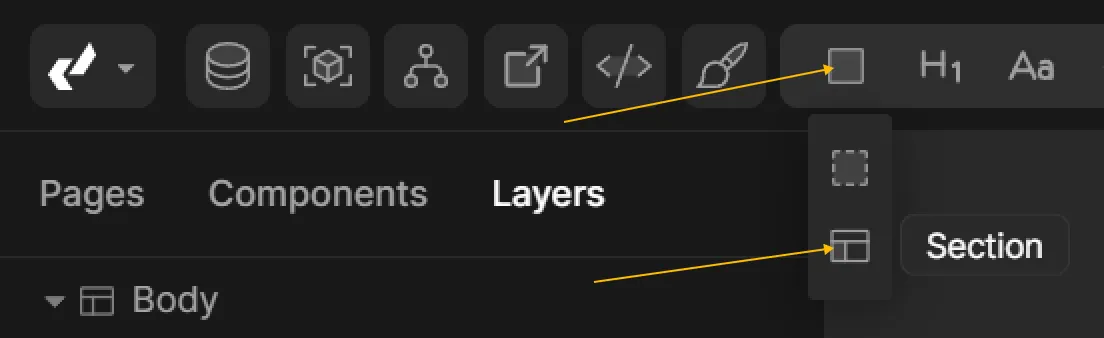
To add a new section, select the body tag, look for the section option in the dropdown, and click to add it to your layout.
When to use a section
Use a section when you have a distinct block of content with its own theme, ensuring it stands out as a separate part of your webpage’s narrative.