










Bring your website to lifewith timeline-based interactions and animations.
Take full control of your animations with our simple and intuitive timeline. Set triggers, adjust timing, and build smooth, precise interactions, exactly how you want them.

AI Agents through MCP
Animate your site with one prompt.
Connect your AI agent through MCP, or use Divhunt's AI Studio, and describe the motion you want. It adds scroll animations, text reveals, hover states and sliders for you, and every change stays editable in the visual builder.

Scroll entrance animations
Sections fade or slide in as visitors scroll, with the delay and duration you choose.

Text reveals
Headings reveal line by line, word by word or letter by letter.

Hover and active states
Hover, focus and active styles go into your classes, with smooth transitions.

Sliders, tabs and accordions
Sliders, tabs, accordions, marquees and popups are set up without writing scripts.
Animations
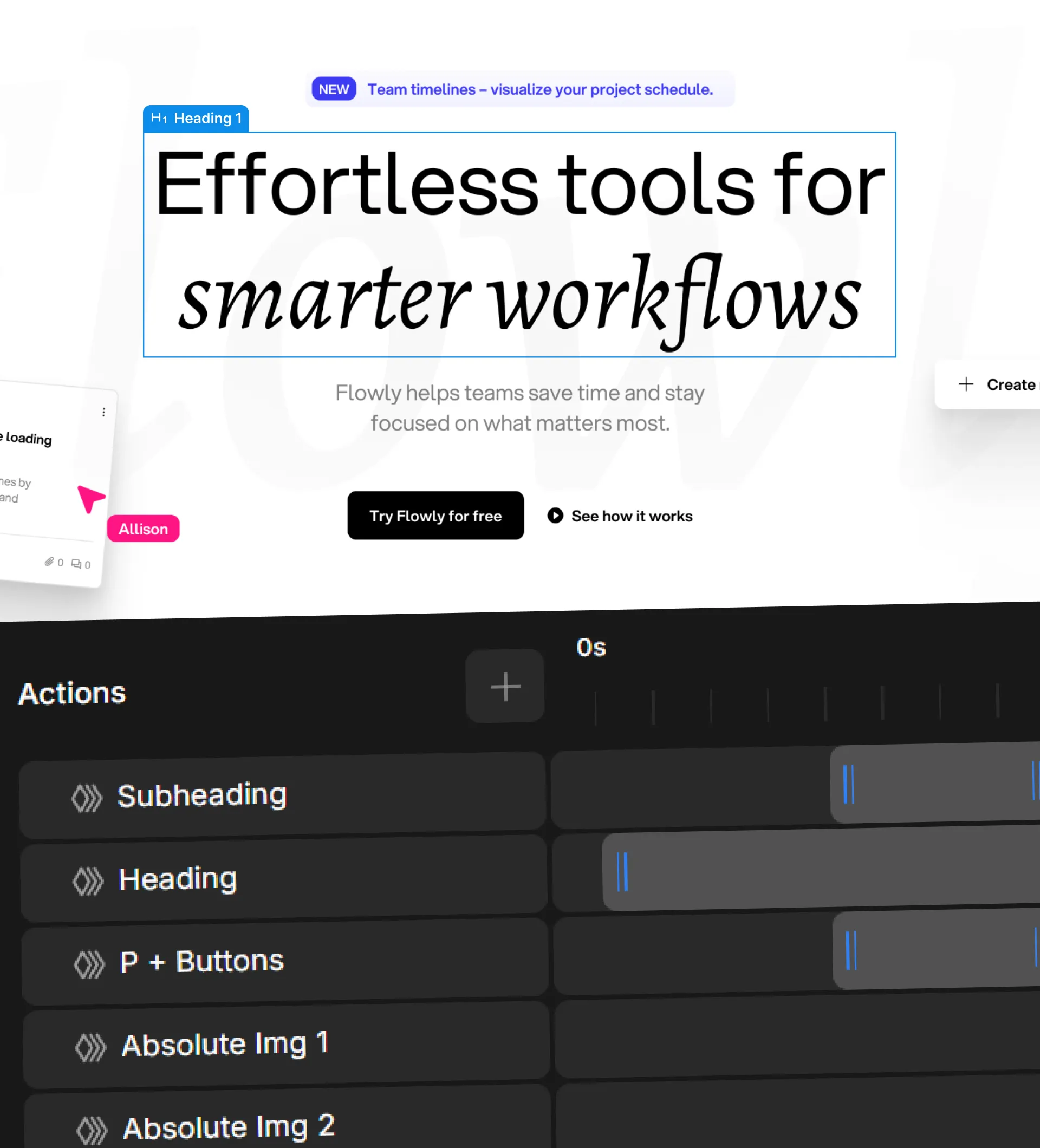
Create engaging animations.

Create animations that trigger when the page loads
Engage visitors instantly by setting animations to run as soon as the page opens.

Add interactive hover animations
Make your content more engaging with animations that respond to user hover actions.
Build animations that activate while scrolling
Create smooth, on-scroll effects to guide users through your content dynamically.

Design seamless page transitions
Add custom animations between pages to keep your site feeling fast and polished.
 Events
Create animations without limits.
Trigger animations for any event (page load, scroll, clicks, or user actions) and take full control of every interaction.
While Scrolling
Executes on element scrolling.
On View
Executes on element view.
On Submit
On Change
Executes on element change.
On Input
Executes on element input.
On Hover
Executes when element is hovered in or out.
On Double Click
Executes when element is clicked twice.
On Click
Executes when element is clicked.
On Focus
Executes when the website has been focused in.
On Blur
Executes when the website has been focused out.
On Resize
Executes when the website has been resized.
On Scroll
Executes when the website has been scrolled.
On Load
Executes after the website has fully loaded.
On Ready
Executes when the website is ready for interaction.
On Preload
Executes just before the website starts loading.
On Page Unload
Executes when the page is being unloaded.
On Page Preload
Executes just before the page starts loading.
On Page Load
Executes after the page has fully loaded.
On Page Ready
Executes when the page is ready for interaction.
On Form Fail
Executes when form submission fails.
On Form Success
Executes when form submission success.
On Form Submit
Executes when the form has been submitted.
Actions
Unlock endless actions.
Go beyond animations with powerful actions that give you full control over your site’s behavior. From scrolling and redirects to custom JavaScript, you decide what happens and when.
Animate
Animate CSS property based on scroll percent using native JavaScript.
Class
Add, remove or toggle class.

HTTP Request
Send an HTTP request with customizable method, headers, parameters, and body using jQuery.

Custom JavaScript
Execute custom JavaScript code.

Redirect
Redirect user to different URL.
Scroll
Scroll to specific element.
Text
Change text of an element.

Visibility
Hide, show or toggle visibility.

Page
Change page.
Course
Master the Art of Interactivity.
Start with our Introduction Course to quickly learn how to use Divhunt's Interactions and Animations. Follow simple steps to create interactive and dynamic web experiences with ease.
Browse other features

Designer
Bring your ideas to life with our visual website builder. Drag and drop with ease, or dive into coding when needed.
→
AI Studio
Describe it and AI builds it. Every change lands in the same project you can open in the Designer.
→
MCP
Connect Claude Code, Cursor or any MCP client and build whole sites with your own agent.
→
CMS
Create, organize, and manage your dynamic content with the maximum freedom and flexibility of our visual CMS.
→
SEO
Divhunt delivers ultra-fast & structured sites that are good for ranking by default, while offering complete control for customization.
→
REST API
Easily link to any REST API endpoint with instant preview and expand your site’s functionality smoother than ever before.
→
Plugins
Divhunt offers an open platform for creating plugins to upgrade features, add new capabilities, and simplify building better sites.
→
Localization
Localize everything from static pages and CMS content to URLs and metadata, in up to 15 languages with no add-on.
→Interactions
Visually create animations and interactions with a simple, intuitive timeline. Build smooth, engaging experiences without code.
→
Custom Files
Manage JS and CSS files with a structure developers love, combining folders and clean organization.
→
Memberships
Create plans, decide who sees what and connect it all to your CMS. Build courses, communities or client portals.
→+ / 002 /FAQ
Common questions.
What can trigger an animation?

Do I need to code to build animations?
What can an interaction do besides animate?
Can I animate transitions between pages?
Can animations run while visitors scroll?
Is there a course for Interactions?