










Headings are crucial text elements in web development, acting as titles for web pages, sections, or smaller content groups. They range from H1 to H6, with H1 being the most significant and H6 the least.
Proper Heading Hierarchy: Why Order Matters
The key to using headings effectively is maintaining a hierarchy. Start with H1 and proceed sequentially to H6 without skipping levels, as this ensures structured and logical content presentation.
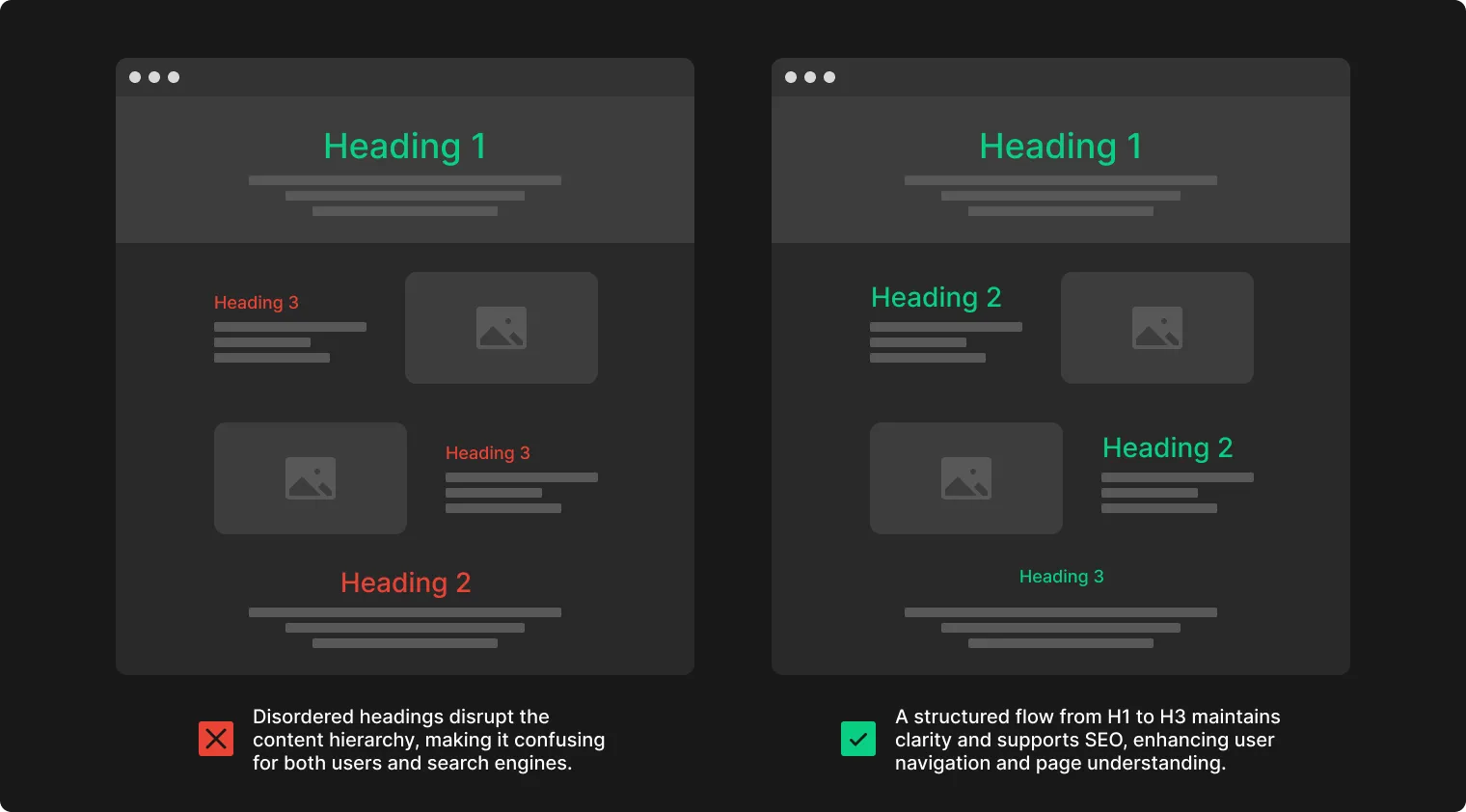
Tip: If you need to style a heading as 'H3' directly after 'H1' for design purposes, use an 'H2' tag but style it to look like 'H3'. This keeps your hierarchy intact for SEO while achieving the visual effect you want.
The Importance Of The H1 Tag In SEO
Each webpage should have only one H1 tag, as it represents the main title of the page. Other headings serve as titles for sections and subgroups within the page.
How To Apply Heading Tags Correctly
Let's demonstrate how to maintain a good headings order on a webpage:
- Start with an H1 for the main page title.
- Use H2 for major section titles.
- Employ H3 for titles of smaller content groups within those sections.
- Reserve H4 for subheadings within these groups, and so on.
How To Edit & Convert Heading Tags
To edit a heading, select it and go to the settings panel. You can change the text or convert the heading type (e.g., from H1 to H4) through the 'Convert' option, ensuring it aligns with your content structure.
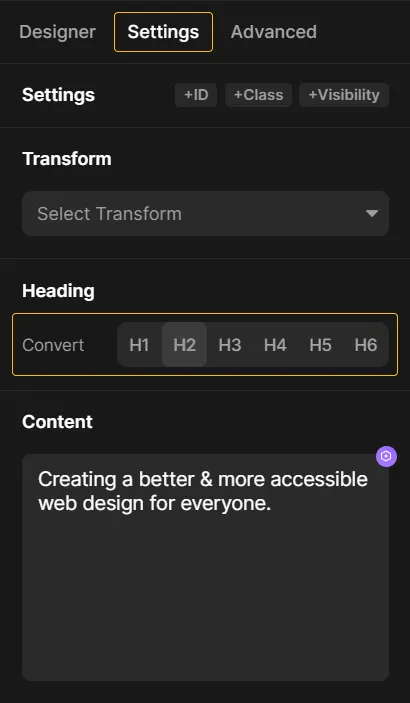
Tip: For quick editing, simply right-click on any heading tag in the tools panel at the top of the builder. This convenient shortcut works with all types of tags for fast modifications.