










Understanding instance customization
Each instance of a component in Divhunt can be individually edited (Content such as text or images), allowing for unique modifications while retaining the base design from the main component.
Editing instances
- Choose the specific instance you wish to customize
- Modify elements within the instance, such as text or images, through the settings panel. These changes will apply only to the selected instance, not affecting the main component or other instances
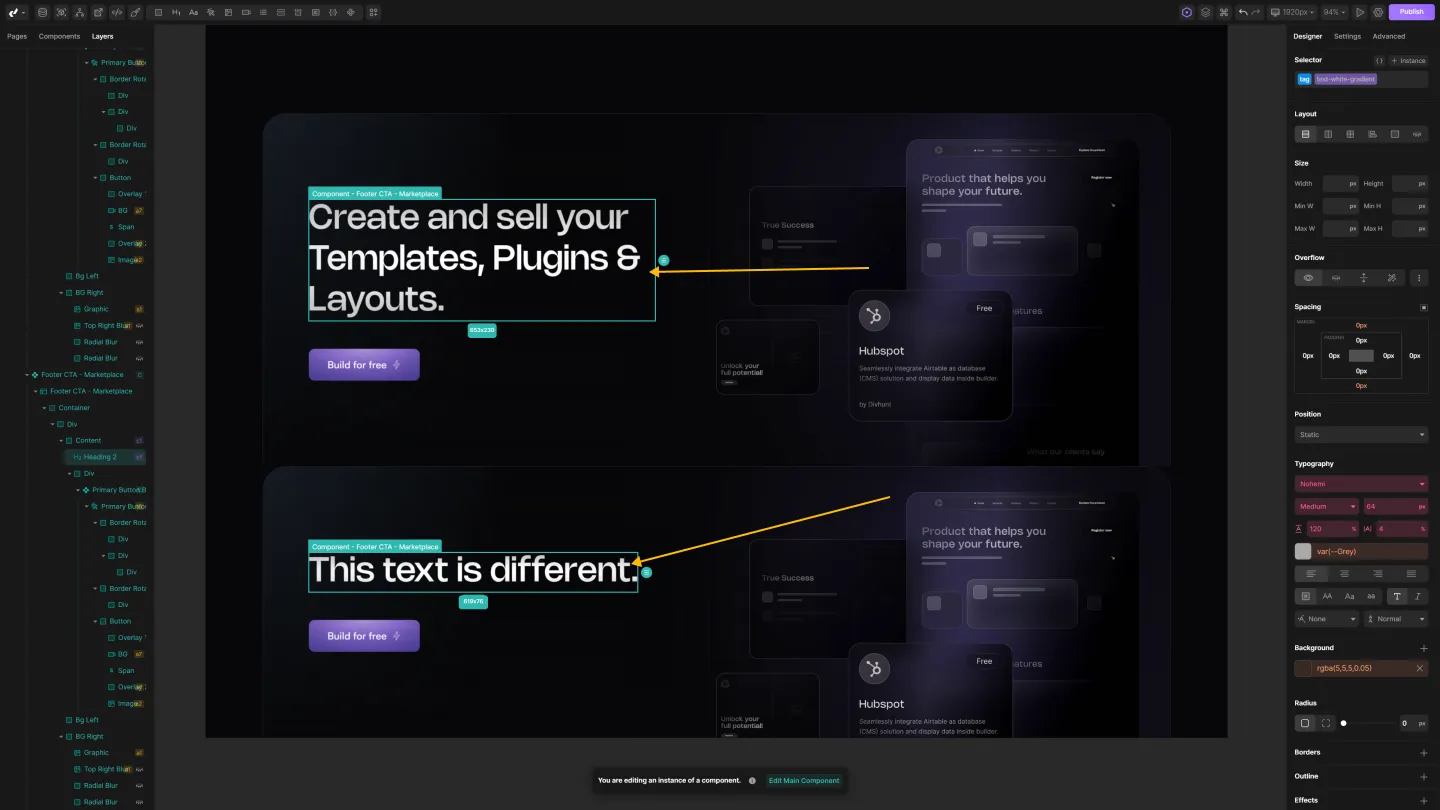
Instances settings
"Instance" option
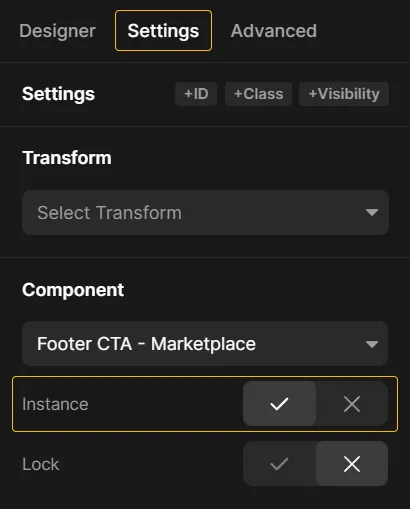
This option is crucial for managing the relationship between an instance and its main component.
- When activated, any changes made to the main component are automatically reflected in the instance, maintaining consistency.
- If deactivated, the instance becomes independent of the main component. This means it will no longer update in tandem with the main component, allowing for unique customizations on that specific instance.
"Lock" option
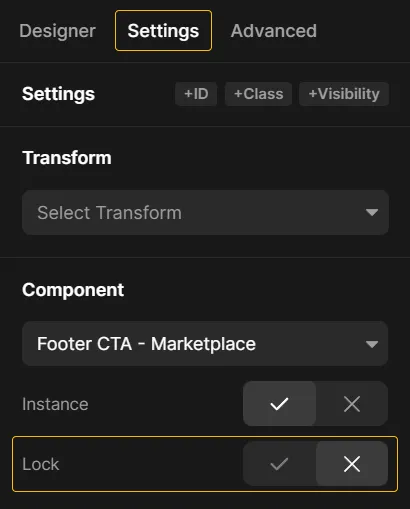
The Lock option provides control over the editing capabilities of an instance.
- When an instance is locked, it cannot be modified, which is useful for preventing accidental changes, especially in components that are crucial for the site's layout or functionality.
- This option is particularly valuable when you have finalized a design or layout and wish to maintain its integrity across various pages or sections of your site. It's mostly used for navbars and footers, where you want to ensure that every update or change you make reflects everywhere.
Applying unique properties
Besides changing text and images in your instances, there are times when specific properties need to be adjusted for unique requirements. Divhunt allows you to add distinct properties to each instance, such as unique IDs, visibility settings, and other attributes, providing greater control and customization for your web design.
- Choose the instance you want to personalize.
- Adjust specific properties like visibility settings, add unique IDs, or apply distinct attributes. These changes will be unique to the selected instance.
Unique properties explained
- Unique IDs: Assign a unique ID to an instance for specific identification or targeting with CSS and JavaScript. This is particularly useful for scripting or styling purposes.
- Visibility property: Adjust the visibility of an instance, making it visible or hidden as required. This feature is handy for creating responsive designs or controlling content display based on user interaction.
- Custom attributes: Add specific attributes to an instance to define additional properties or data points. These can be used for various purposes, from accessibility enhancements to providing extra information for scripts.
Each of these properties offers a way to fine-tune your instances, ensuring they not only fit the overall design but also meet the specific needs of different parts of your website.
Applying unique styles
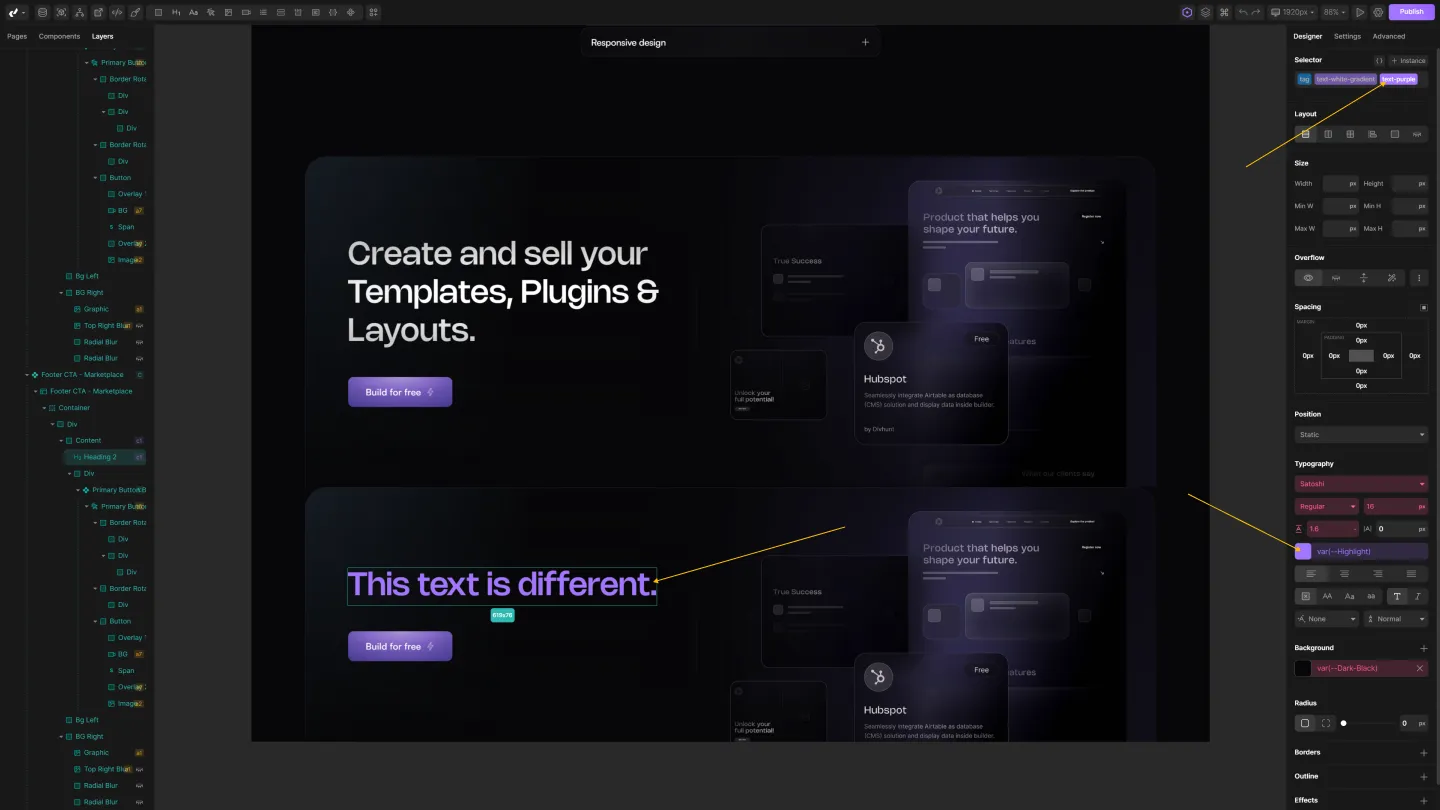
- For styling changes, assign a unique class to the instance.
- Adjust the style properties of the class, such as color or font. These style changes will only affect the instance with the assigned class, not the main component or other instances.
Resetting instances
Resetting an instance in Divhunt allows you to revert any specific changes made to that instance, realigning it with the main component:
- Choose the instance where you've made individual changes.
- To reset, simply remove or undo the changes you've made in the instance's settings. This could involve clearing custom text, removing added styles, or deleting unique properties.
- Once reset, the instance will immediately reflect any current and future changes made to the main component, ensuring consistency across your design.
Converting instances to main components
In some scenarios, you might want to convert an instance back to a main component, particularly when you need another foundational element for different instances:
- Choose the instance you want to convert into a main component.
- In the settings panel, find and deactivate the 'Instance' option. This action disconnects the instance from its original main component.
The previously dependent instance now acts as a new main component. Any changes made to it will not affect the original main component or its other instances.