What are instances?
Instances are duplicates of the main component. They inherit properties and design from the main component but can also have unique attributes.
Creating instances methods
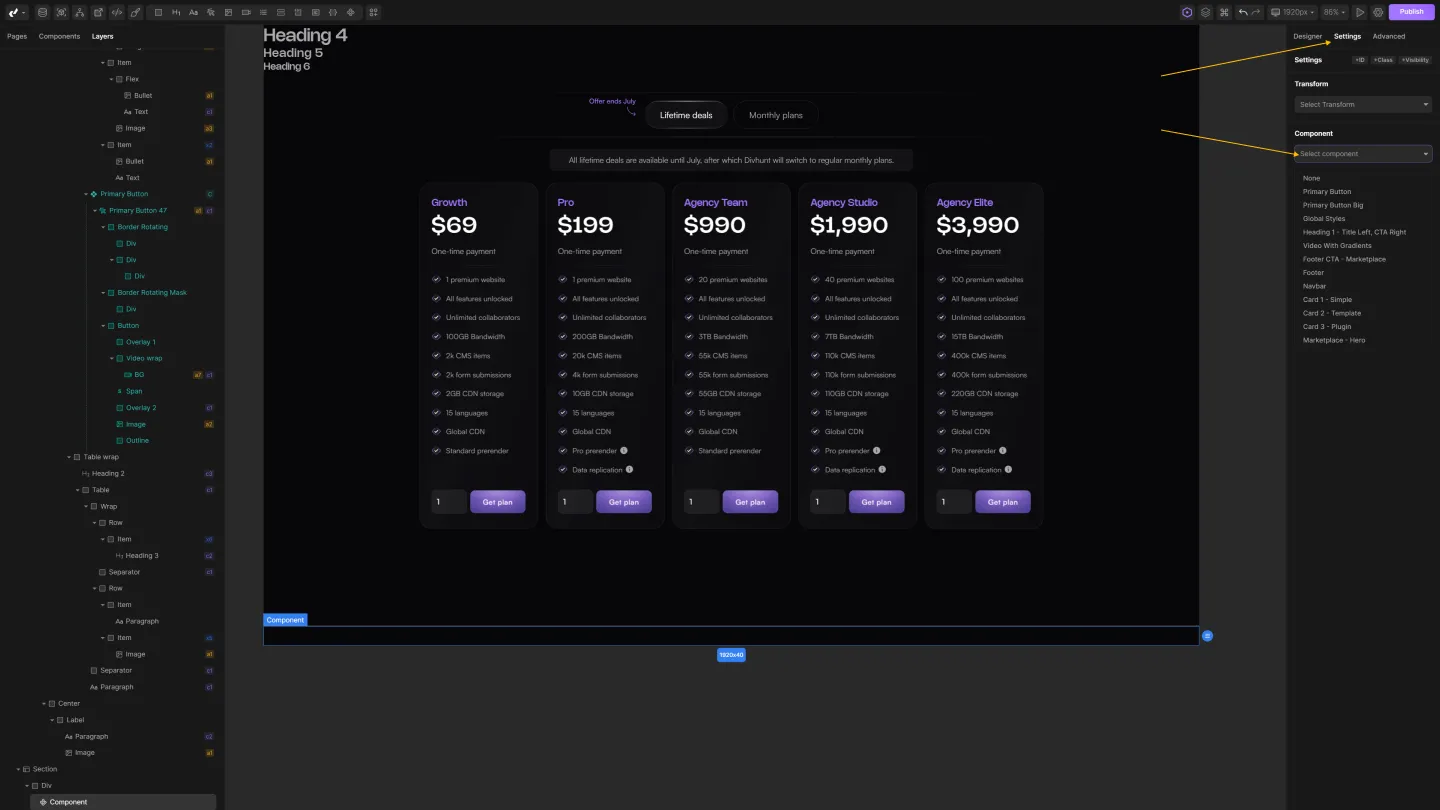
Through the settings panel
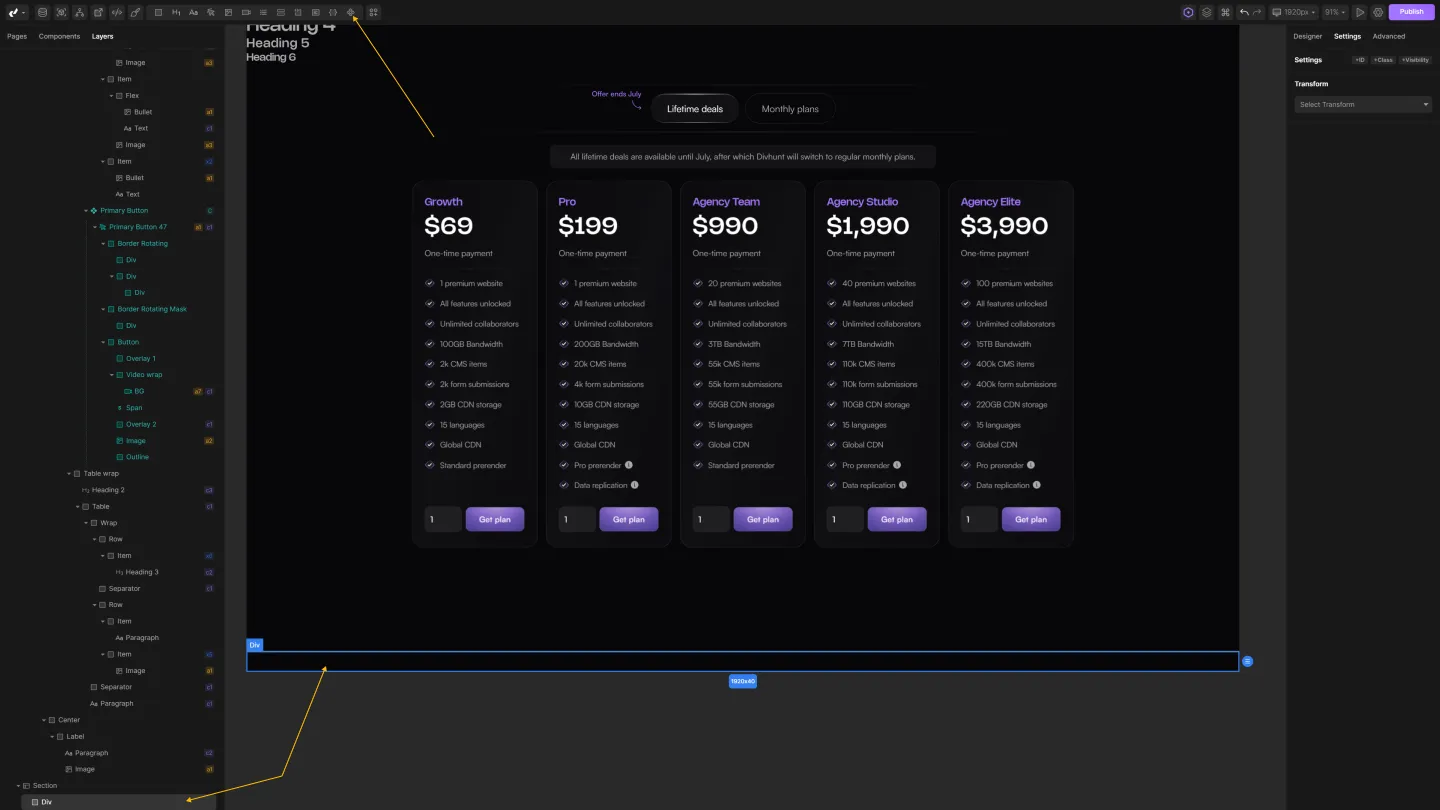
- Select the div element where you want your component to be placed
- Choose the 'component' tag from the panel
- Open the Settings panel and select the Component from the dropdown
Quick add with keyboard shortcut modal
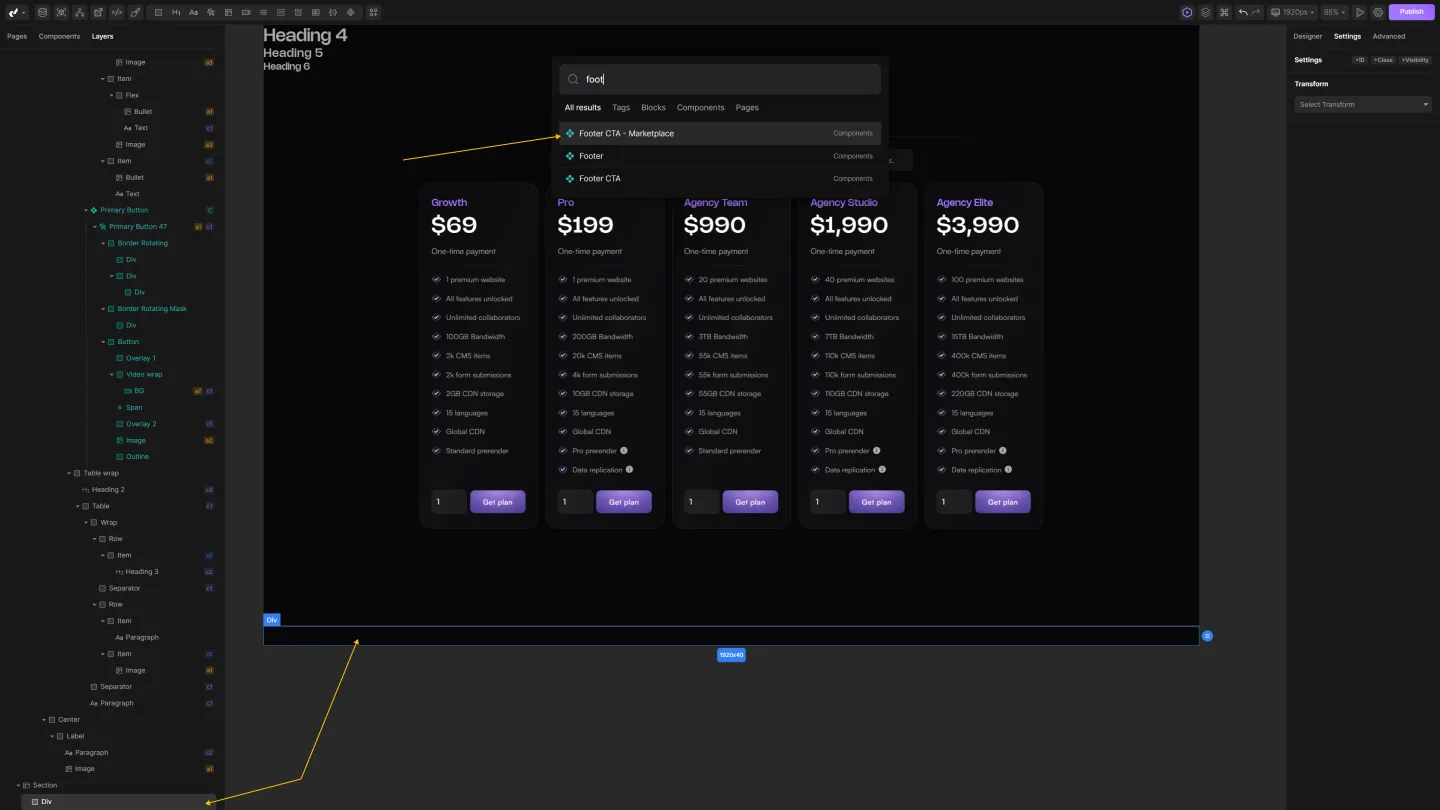
- Select the div placeholder where you intend to insert your component
- Press 'Ctrl + E / CMD + E', type the name of your component, and press 'Enter'
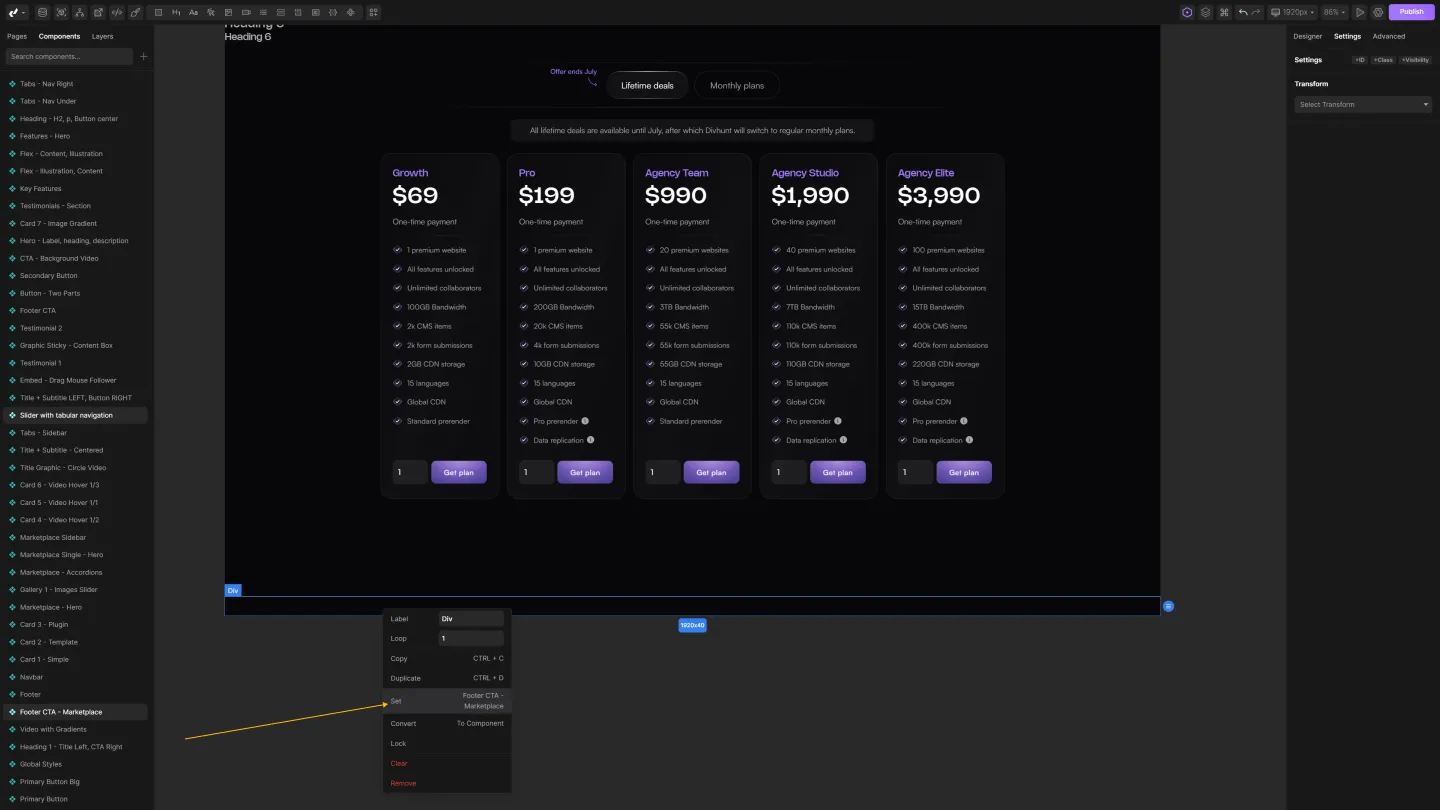
Using the components panel
- Choose the location for your instance, like an empty 'div'
- Go back to your workspace, right-click on the div, and select ‘Set’
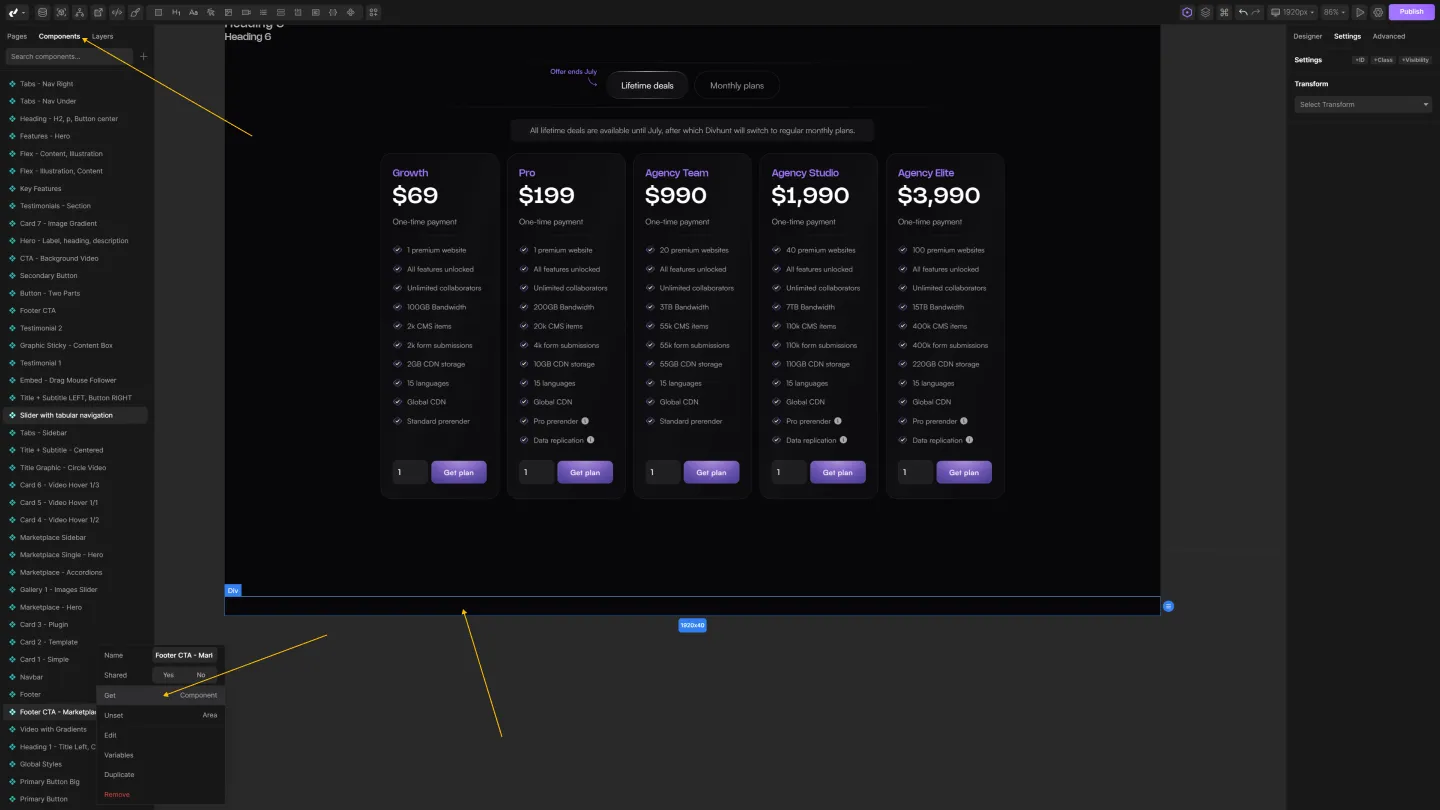
- Go back to your workspace, right-click on the div, and select ‘Set’