










Divhunt Components are reusable design elements, enabling users to create consistent and efficient web designs by replicating and customizing components across multiple pages.
Benefits of using components
Components in Divhunt make web design much simpler and quicker. They allow you to reuse sections across your site, keep your design consistent, and make changes everywhere by just editing one component. Edit one component to change it everywhere, keeping your design consistent and saving time. Plus, you have the flexibility to style the same components in different instances as needed.
Steps to create a main component
- Choose an element: Select any element on your page that you want to turn into a reusable component.
- Convert to component: Right-click on the selected element and choose 'Convert to Component' from the menu.
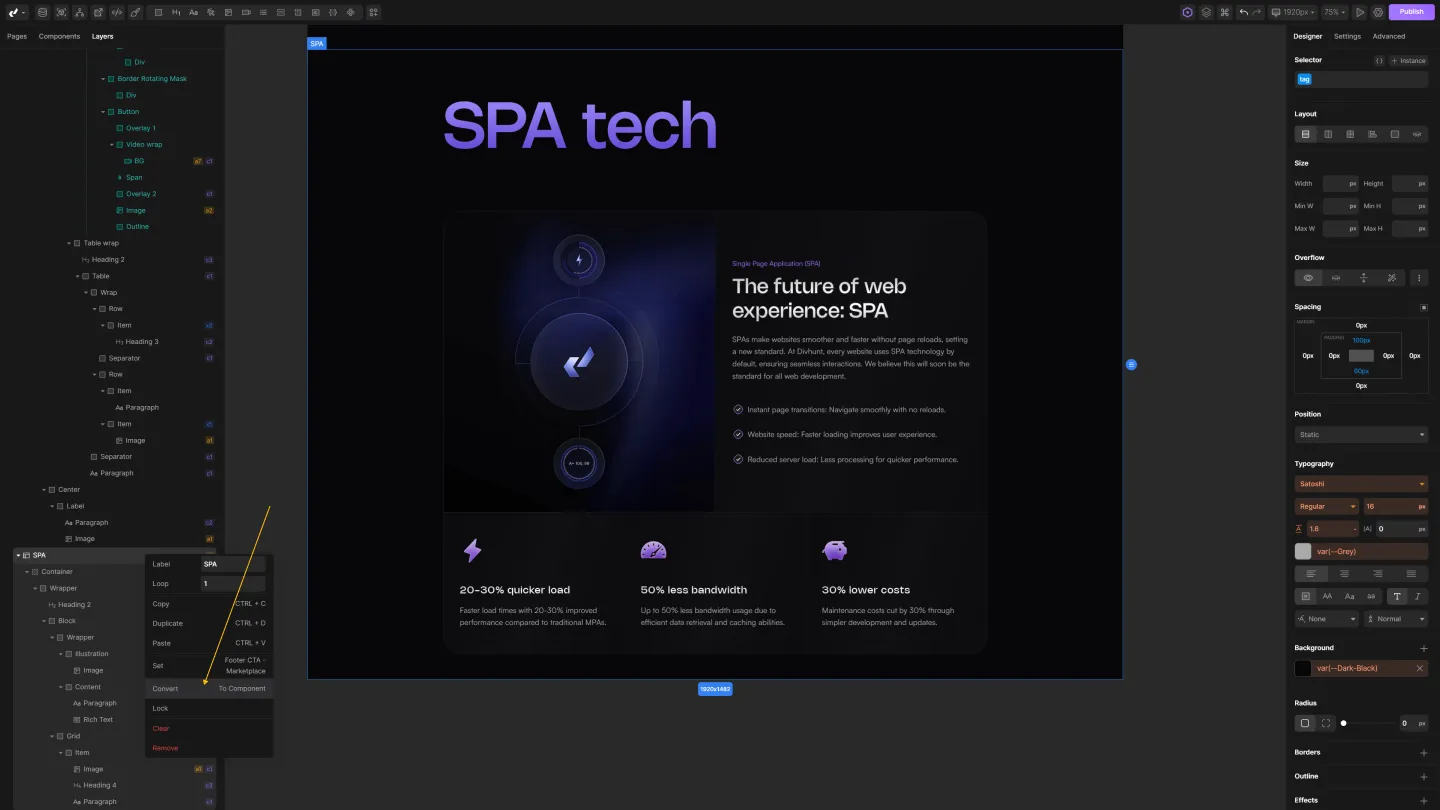
In Divhunt, the component you first create is known as the Main Component. Any changes you make to this Main Component automatically update all its copies (instances) that you've placed across various pages, ensuring consistent design throughout your site.
Editing the Main component
Accessing the component
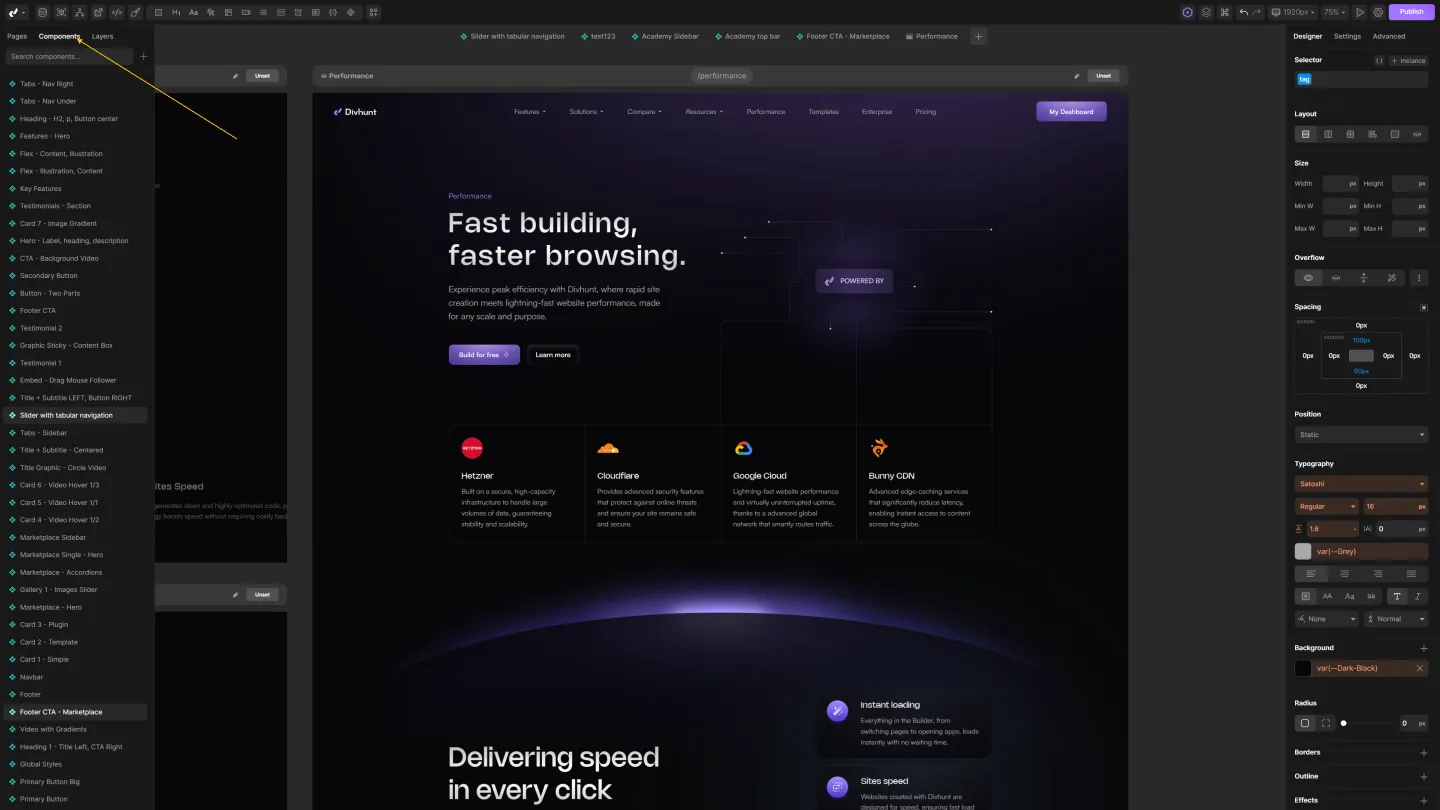
- To edit the main component, navigate to the components panel where you will find your components
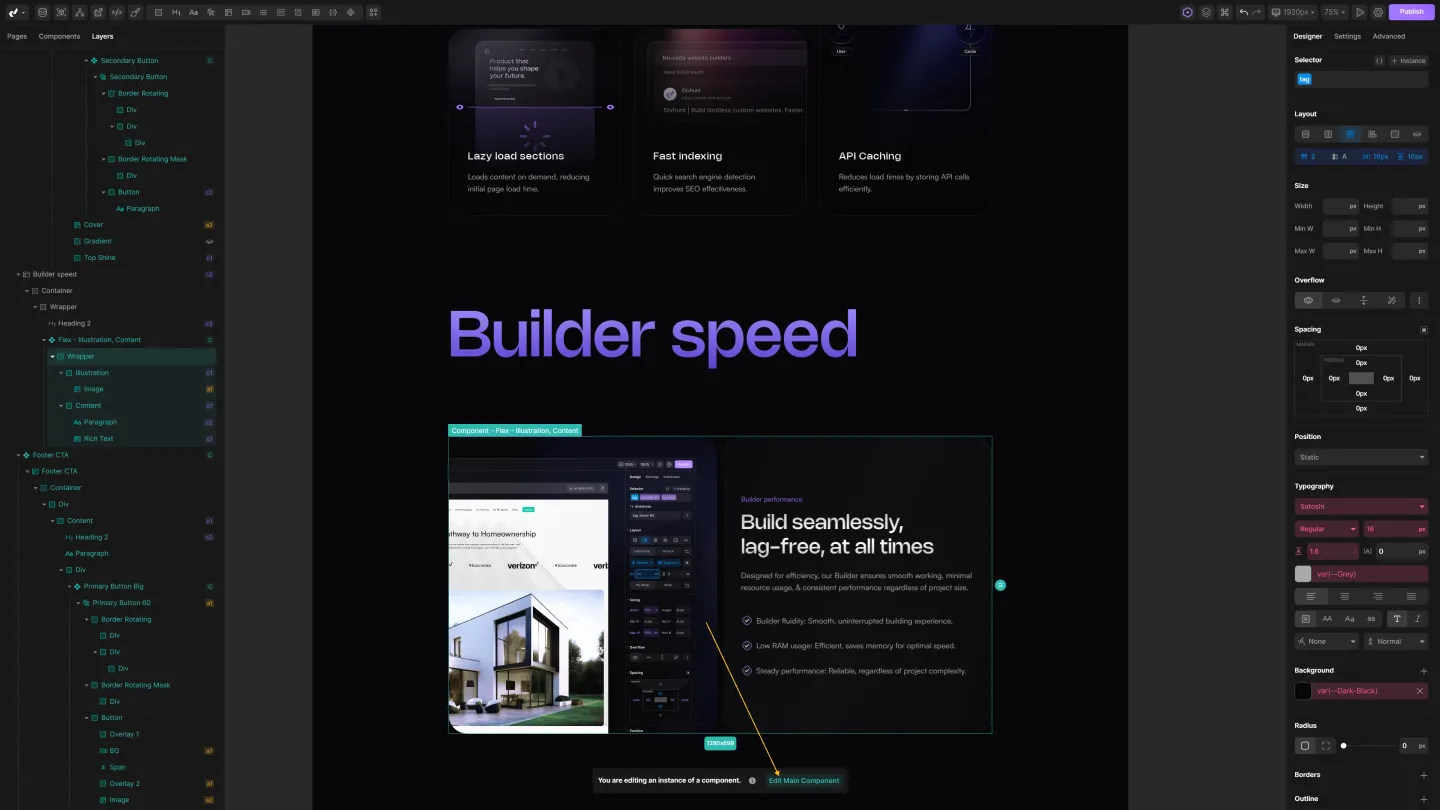
- Additionally, if you click on any instance of the component, there's an "Edit the main component" button available for quick access
Making changes
Click on the component to bring it up in the editing area. Any modifications you make here, such as changing text or updating styles, will automatically reflect across all instances of this component.
Updating instances
When you edit the main component, all its instances across various pages will update in real-time. This feature is particularly useful for elements like headers, footers, or any section you have on multiple pages.