










PluginsMoment - Date Formatting

Moment - Date Formatting
Format dates from your CMS precisely for your requirements with the Moment.js library.
Watch the video tutorial on YouTube
Show dates coming from CMS or REST API in any way you like.
Instructions
Installation
- Go to your Divhunt project's settings.
- Navigate to the 'Browse Plugins' section and install the 'Moment - Date Formatting' plugin.
Apply transform
- In the Builder, select the text element of date you wish to format.
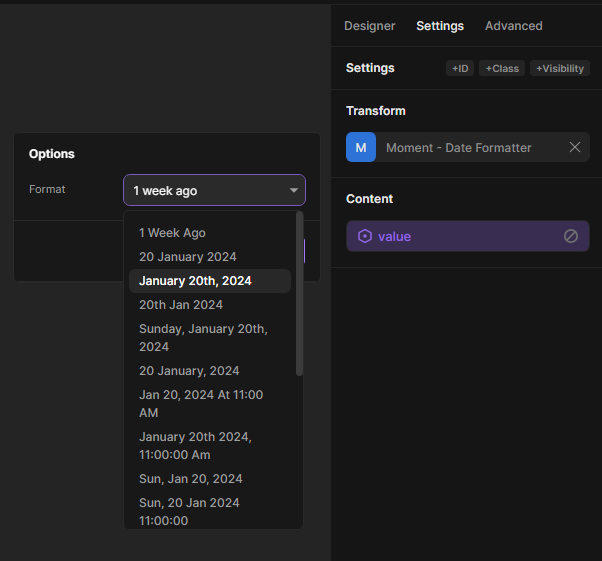
- Access the settings panel and select the 'Moment - Date Formatting' option under the 'Transform' dropdown.
- Open settings and select desired format.
Tilt - 3D Paralax Hover Animations
Make your elements gain a mesmerizing 3D-like rotation and movement when hovered over. No coding experience required!
Divhunt
Social Share
Add sharing buttons to your site, enabling one-click sharing to various social media, enhancing content visibility and user engagement.
Divhunt
Accordions
Effortlessly create an FAQs section or similar using accordions transform. A few simple clicks, and you're all set.
Divhunt
Pikaday
A refreshing JavaScript Datepicker - lightweight, no dependencies, modular CSS.
Divhunt