





If you have never used a repeater field before, it might be difficult to understand how useful it can be. In this post, we will explain it clearly and show you real examples to help you get it.
A repeater field is a powerful tool when you need to manage a flexible list of items inside a single CMS entry. For example, imagine you have a Courses CMS — each course might have multiple lessons. Or in a Hotels CMS, a single hotel might offer several apartment types.
Repeaters let you create structured, repeatable content within a single item, without being limited to a fixed number of fields. You add only what you need, keeping everything clean and easy to manage.
Popularized by ACF in WordPress
The repeater field became widely known thanks to one of the most popular WordPress plugins, ACF (Advanced Custom Fields). Anyone who has worked with ACF repeaters will tell you the same thing — once you experience the flexibility they offer, using a CMS without repeater fields feels limiting. They are essential for building powerful, dynamic content structures that scale with your needs.
I’ve built over 200 websites in WordPress using custom code, and the repeater field was a key part of almost every CMS setup. In 2021, I used Webflow for some client projects, and honestly, losing the repeater field felt like a big downgrade. I had to rely on all sorts of messy workarounds. Sometimes using rich text with custom JavaScript, sometimes creating extra collections with multi-reference fields, and other times just hardcoding things like "FAQ 1 Title, FAQ 1 Text, FAQ 2 Title..." and so on. It was never clean, and it always felt like a hack.Stefan Pakić, co-founder at Divhunt
How repeater fields work
Let’s say you’re building a CMS for a real estate agency. You’ll probably have standard fields for each property—like title, description, location, price and more. These are simple text fields where each property has just one value.
But what if you need to add something that varies in number for each property, like rooms? One house might have 2 rooms, another might have 6. This is where repeater fields come in.
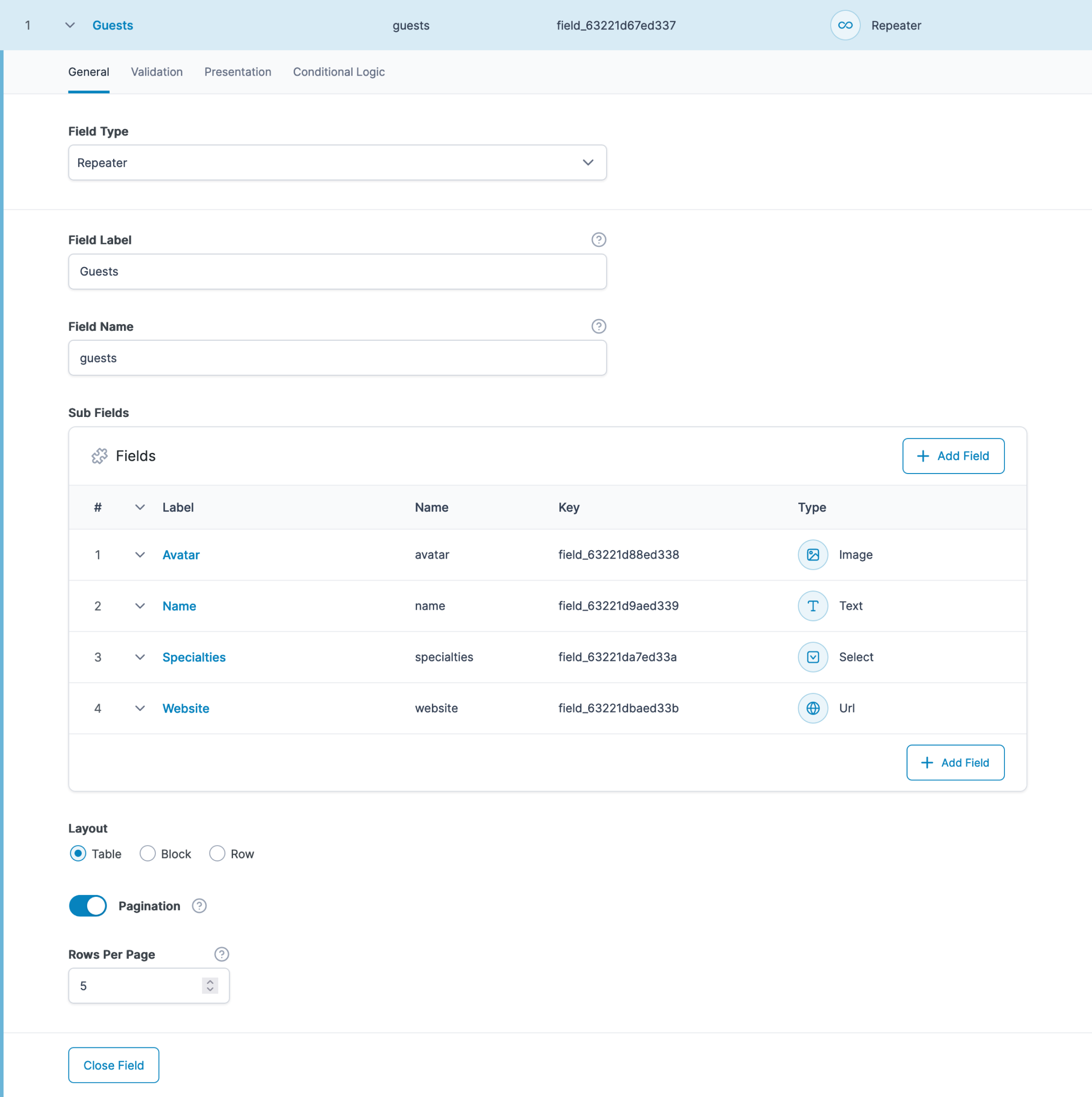
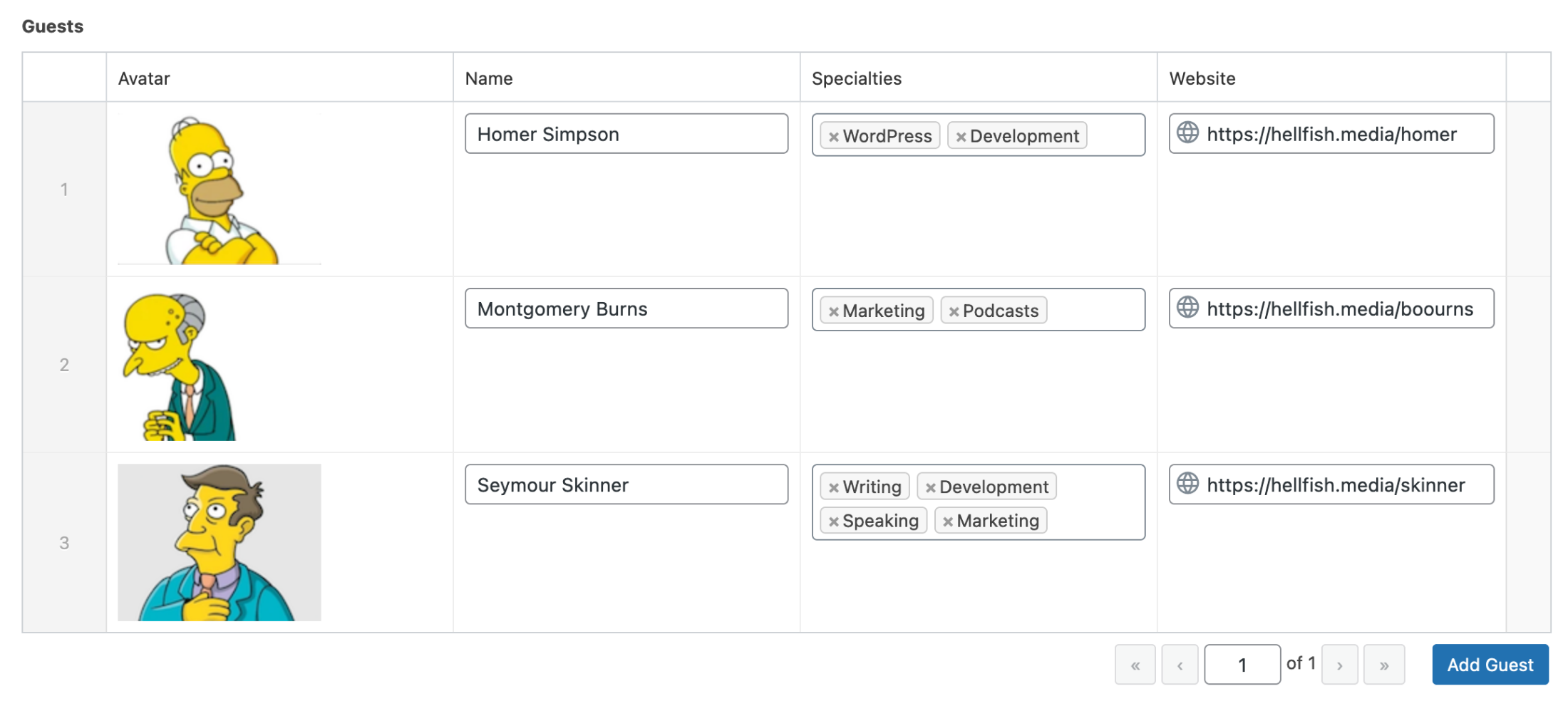
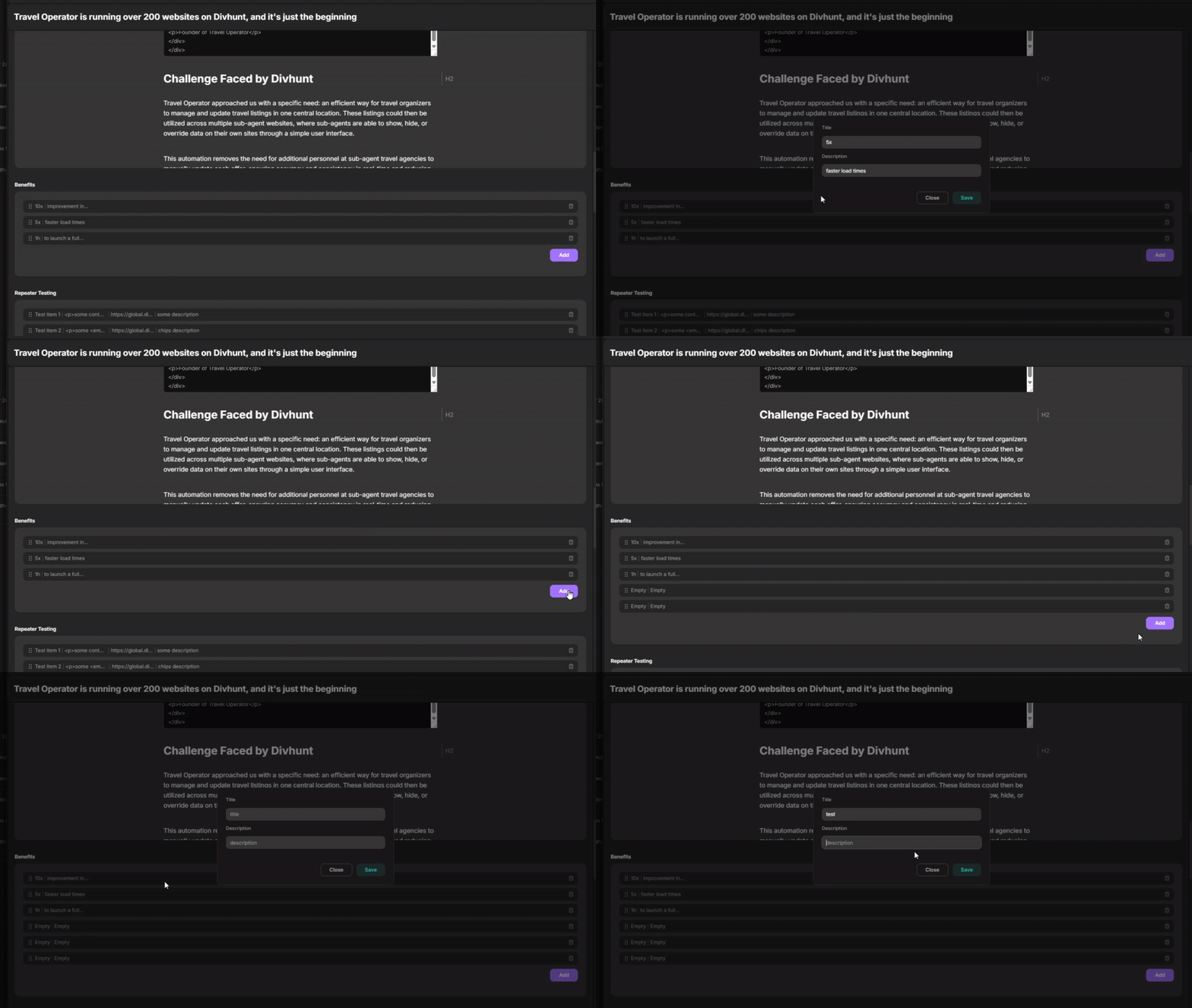
With a repeater field, you can create a group of sub-fields that you can repeat as many times as needed per property. For example, you can make a repeater called "Rooms", and inside it, define the following sub-fields:
- Room type (e.g. Bedroom, Kitchen)
- Room size
- Image
- Description
Now, when you’re adding a new property in the CMS, you can simply add as many rooms as that specific property has—each with its own details and image.
Use-cases
Easiest way to find why repeaters are so powerful is through few use-cases.
Courses website example
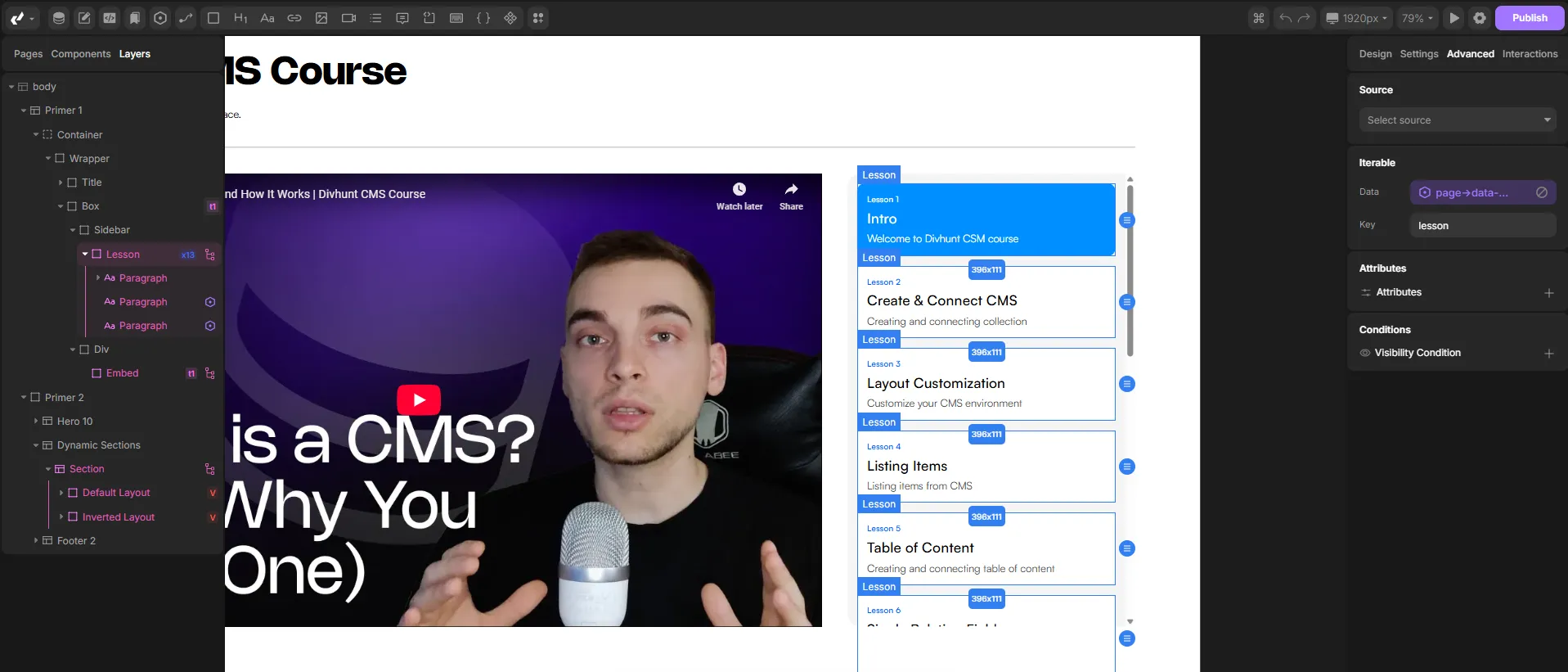
Imagine you are building a website that offers multiple courses. Each course includes several lessons. In your CMS, you would create a collection called Courses, and inside each course, you would use a repeater field for the Lessons.
This repeater would allow you to add as many lessons as you need for each course. Each lesson would have its own set of sub-fields, such as:
- Lesson title
- Description
- Video URL
- Cover image
This setup gives you full flexibility to manage your content without hardcoding a fixed number of lessons. Whether a course has 3 lessons or 30, the structure remains clean and scalable.
Flexible landing pages (like ZenDesk)
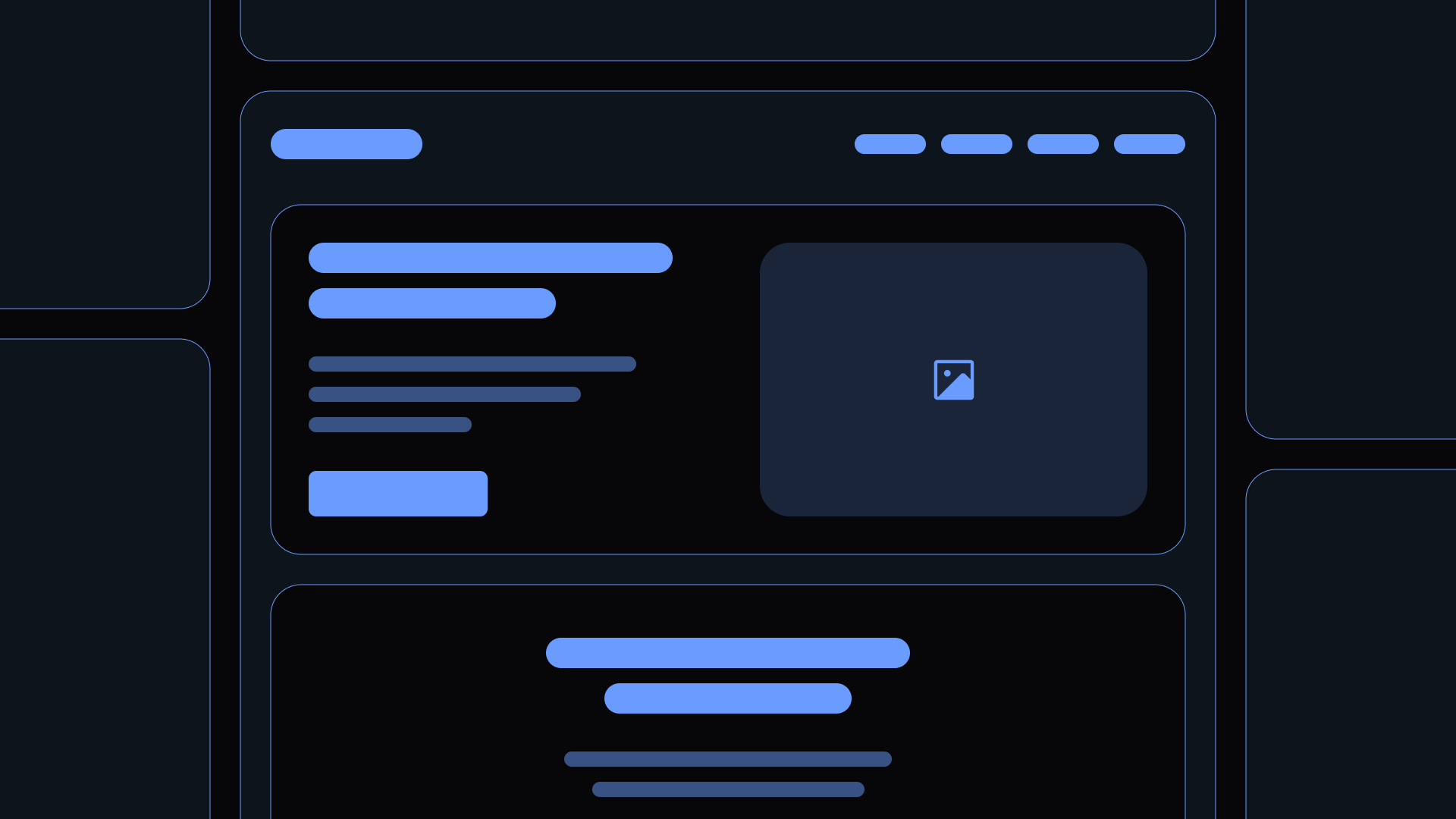
In the screenshot below, we can see how a company like ZenDesk might be using this kind of setup for their landing pages.
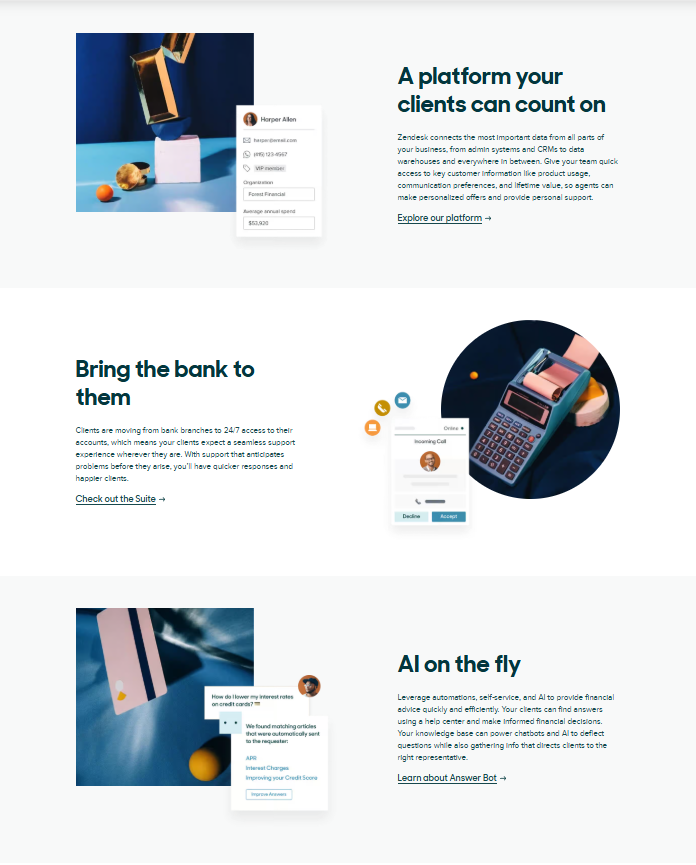
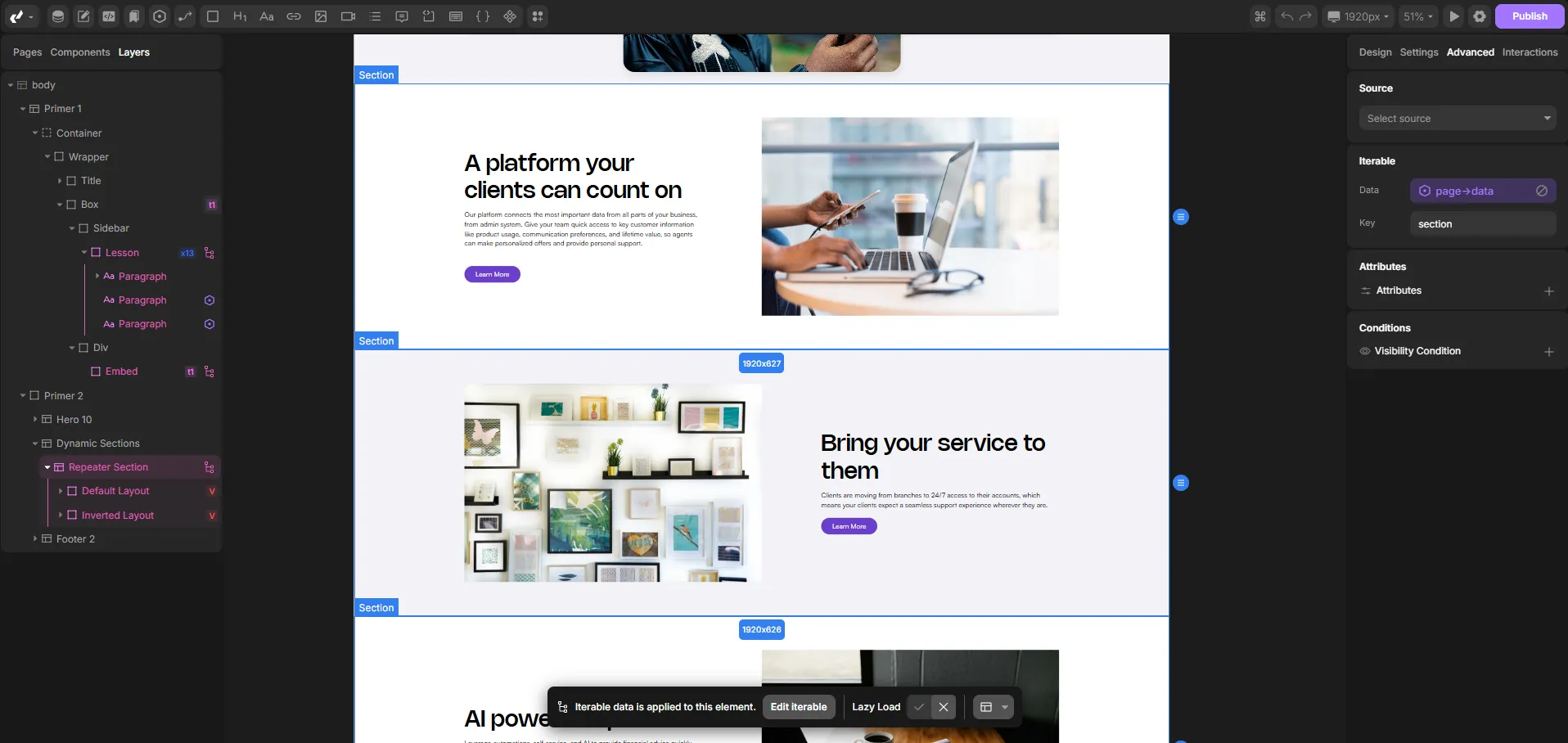
To build something similar, you would start by creating a CMS collection called Landing Pages. Each landing page would have standard fields like title, URL slug, and meta information. But for the repeating content sections, this is where a repeater field becomes essential.
You could name the repeater "Content Sections", and inside it, define sub-fields such as:
- Title
- Description
- CTA text
- CTA URL
- Image
- Background color
- Layout type (image on the left or image on the right)
What does this give us?
It gives marketers a powerful, flexible way to build fully custom landing pages — without needing a developer. They can mix and match sections, adjust layout and content, and add as many blocks as needed, all from the CMS.
This means faster campaign launches, easier content management, and complete design consistency across all pages.
Summary: Why repeater fields matter
Now that you’ve seen how repeater fields work and what they unlock, it’s easy to understand why they’re such a game-changer for modern CMS setups.
Without repeater fields, things get complicated very quickly. For example, platforms like Webflow do not support repeaters natively. So what happens when you need flexible, repeating content?
You’re left with workarounds like:
- Multi-reference fields, which can become messy and hard to manage, especially in complex CMS setups with a lot of data.
- Rich-text fields with custom HTML and JavaScript, which are difficult to maintain and nearly impossible for clients to update without developer help.
- Hardcoding multiple static fields, like FAQ 1 Title, FAQ 1 Text, FAQ 2 Title, and so on — which limits flexibility and bloats the CMS with unnecessary fields.
All of these options create friction, technical debt, and confusion for clients.
Repeater fields solve this by offering a clean, structured, and fully scalable way to manage dynamic content inside a single CMS entry. Whether you’re building courses, hotel listings, landing pages, or product showcases, repeaters give you the control and flexibility you need — with a great editing experience for marketers, designers, and clients alike.