Integrate WordPress data seamlessly into Divhunt
Using the WordPress native REST API, you can fetch all the information from your website, such as posts, categories, specific posts, media files, authors, and much more. For a better understanding of what you can fetch with the WordPress API, it's best to read their documentation.
After learning how the WP REST API works, you can use endpoints to fetch data in Divhunt and display it on your website. Divhunt also enables you to cache API data, so you don't need your APIs to be cached by WordPress, achieving the best performance.
In the video below, you can view examples of how to fetch specific data with the WordPress REST API and display it in Divhunt.
How to fetch and display the last 30 WordPress posts in Divhunt (Example)
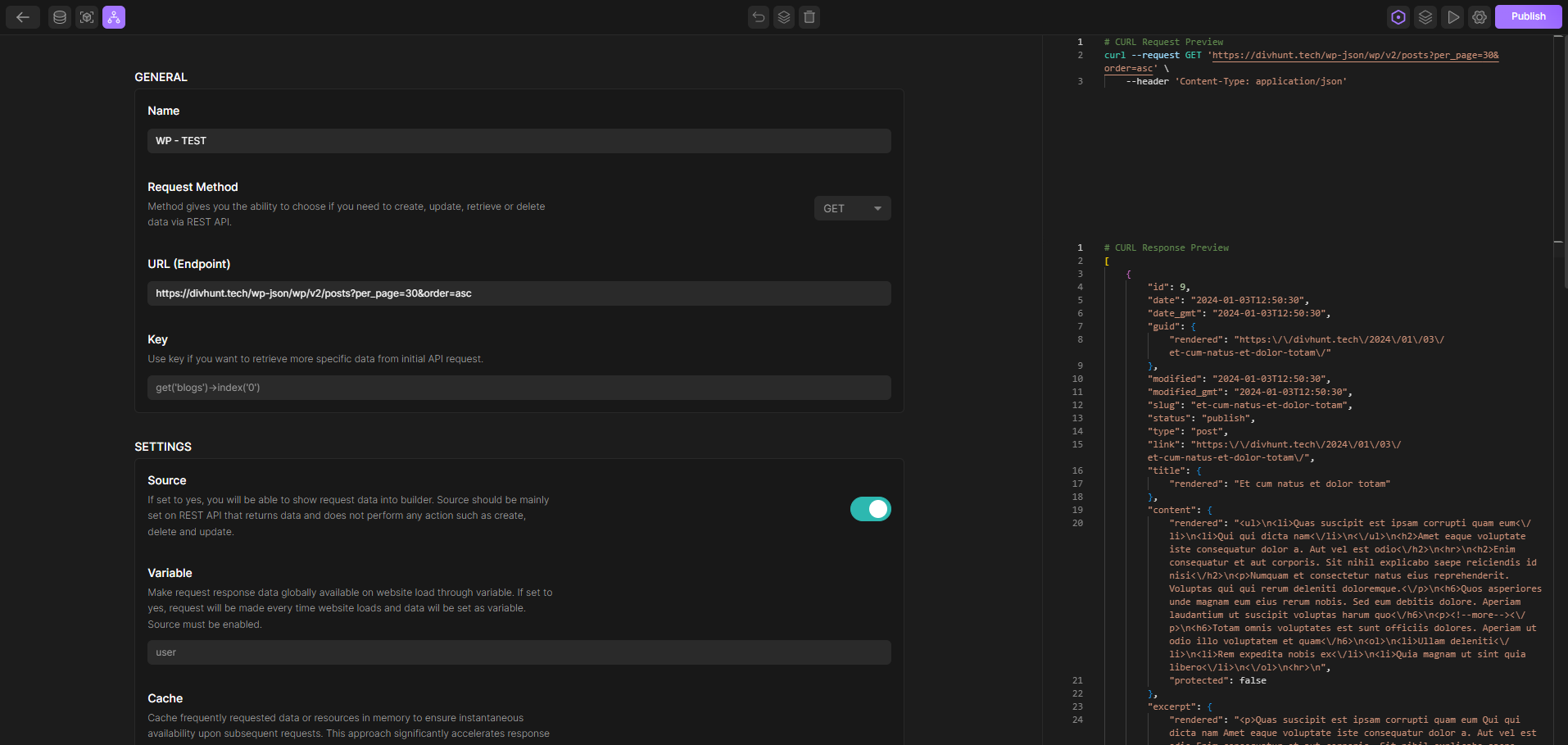
In this lesson, we will show you how to fetch and display the last 30 posts from WordPress, ordered from oldest to newest, using the Divhunt builder. You can find many more lessons in the WordPress category of Divhunt Academy.
API endpoint for this use case
https://yourwebsite.com/wp-json/wp/v2/posts?per_page=30&order=asc- Install REST API application in Divhunt
- Create new GET Request in REST API of Divhunt
- Paste your endpoint in Endpoint (url) of our GET Request.
- Click the execute icon in the middle of the top bar to verify everything is working correctly. If you see a JSON data preview on the right (as shown in the screenshot), everything is correct, and we are ready to use this data in the builder.
- This data is now stored in Source of your website and you are ready to use it. Learn more about Source here.