


CSS Position Properties | Learn How To Use It Easily
Divhunt makes CSS positioning effortless. Customize web layouts with absolute, relative, fixed, static, and sticky positioning. Build smarter today!
CSS positioning is a fundamental concept in web design, enabling designers to place items precisely where they want on a webpage. This tutorial simplifies the mystery of CSS position properties.
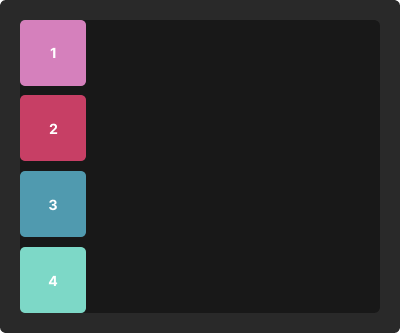
Static position
Every element has a default position called 'Static'. In this state, the element follows the normal flow of the document. It's the standard setting, so you often don't need to adjust it.
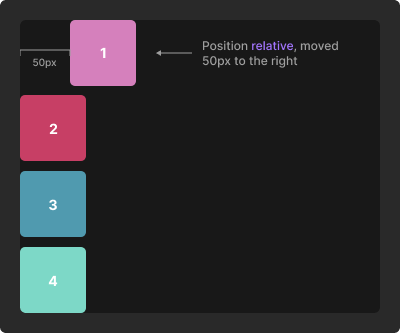
Relative position
Relative positioning is like nudging an element from its original position. By setting an element to relative, you can shift it left, right, up, or down relative to where it would normally sit. For example, moving a card 50 pixels to the right from its static position demonstrates this effect.
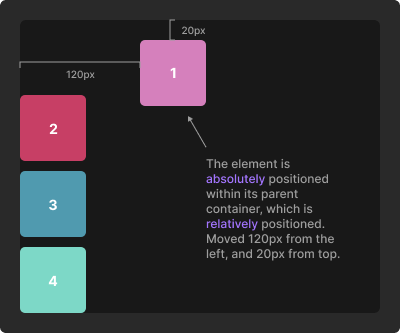
Absolute position
Absolute positioning allows an element to break free from the normal flow. It's similar to placing a note exactly where you want it on a board. To position a label at the top right corner of a card, first set the card to relative. Then, set the label to absolute and adjust its top and right values for precise placement.
Fixed position
Fixed positioning is used for elements that stay in place while scrolling, like navigation bars. When an element is set to fixed, it's anchored to the screen. Adjusting the top value will position it at a specific point from the top of the screen.
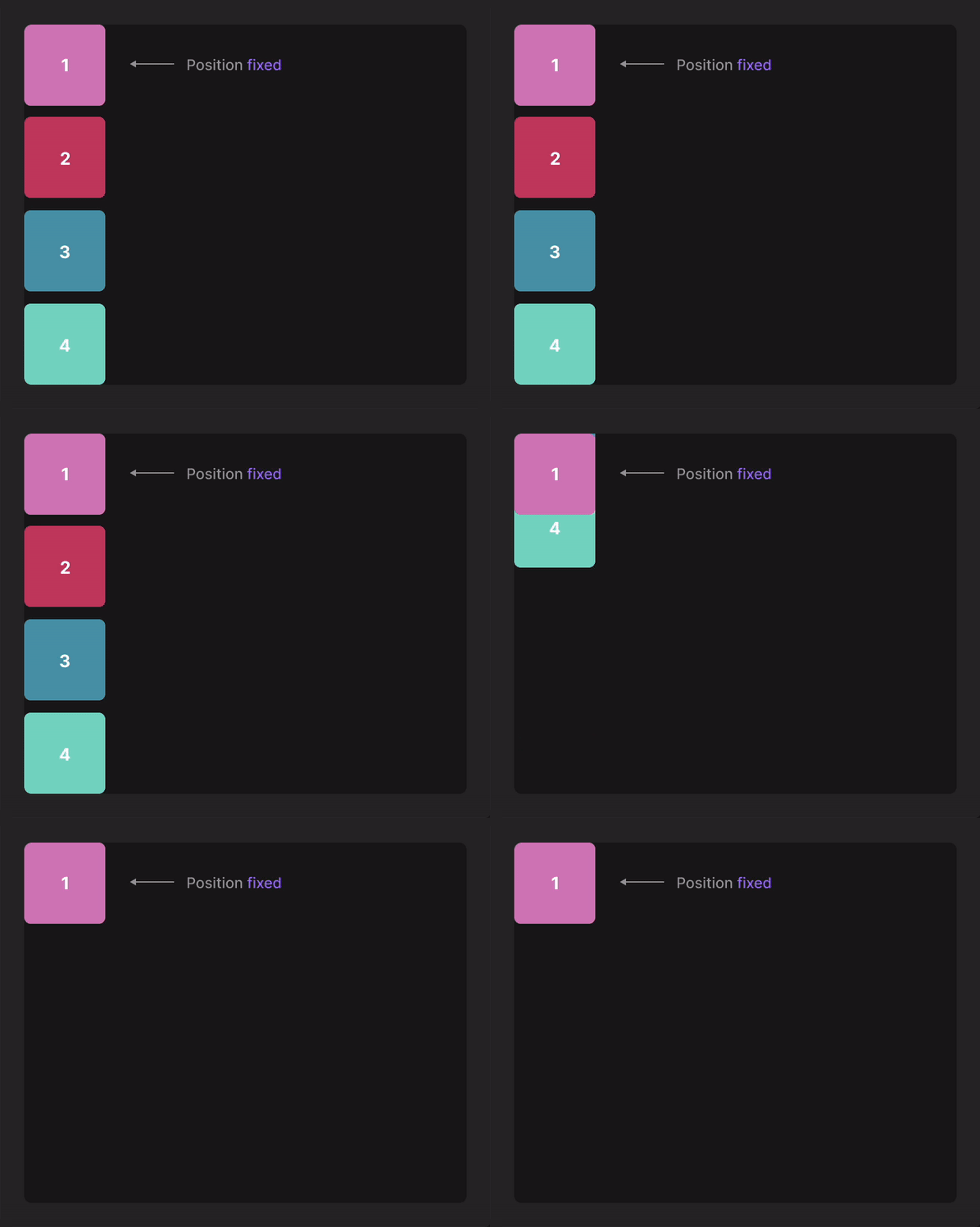
Sticky position
Sticky positioning is a hybrid of relative and fixed positioning. An element behaves normally until it reaches a specified point, after which it becomes fixed. For instance, making a title sticky means it will scroll with the content until it hits the top of the window, and then it will stick in place.
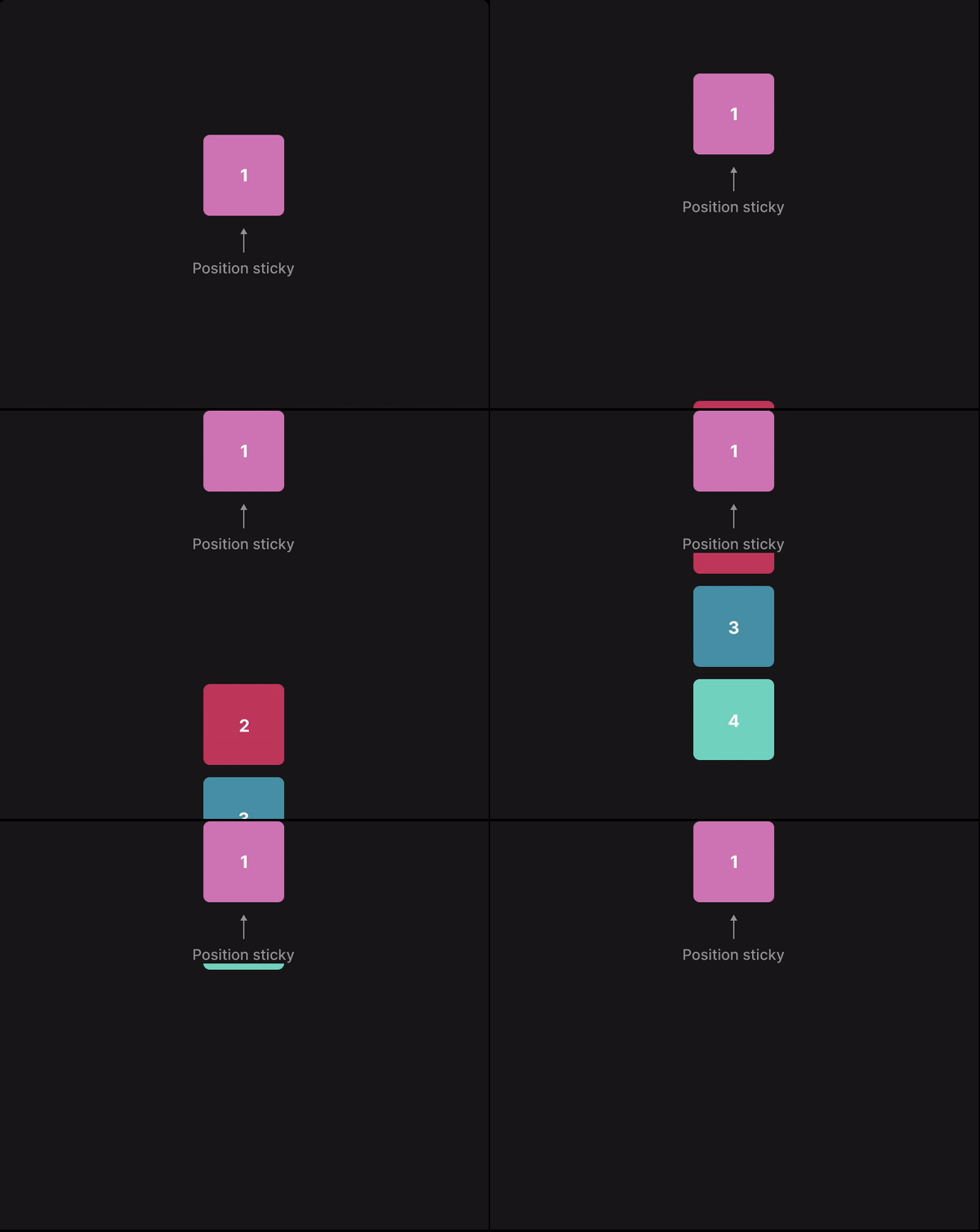
Table of content
Create your website visually – fast and easy.
Build a stunning website with ease using our visual builder. No experience needed – just drag, drop, and launch your site today.
Build and publish websites for free
Build and host your site with a custom domain for free. Upgrade anytime for expanded limits.
Build for free

Divhunt - Build websites. Faster. Better. Visually.


©2026 Divhunt GmbH. All Rights Reserved.

Built in Divhunt
We use cookies.
By clicking “Accept All”, you agree to the storing of cookies on your device to enhance site navigation, analyze site usage, and assist in our marketing efforts. View ourCookie Policyfor more information.
Optahunt
Preferences
Manage your cookie preferences.
Essentials
Always Active
These are required for the website to work, like remembering your privacy settings, keeping you logged in, or enabling secure payments.
Performance
These help us understand how people use our site (like which pages are most popular) so we can make improvements.
Personalization
These allow the site to remember your preferences (such as language or region) and provide enhanced features.
Advertising & Targeting
These are used to deliver ads more relevant to you, limit how often you see them, and measure campaign performance.
Save my preferences
You can always change these settings later via ourCookie Policy pagepage, or via the cookie widget placed at the bottom left of the page.