Last chance to get lifetime deal


Table of contents
Newest updates
AI Updates
Meet GSAP AI Agent — vibe-code your animations
Pricing update and changes to the free plan
Lifetime access stays open a little longer
The Divhunt lifetime deal is back, closing July 1
Bring Your Own AI: Connect OpenRouter
its been a year... we have a lot to show you
CMS Dynamic Filters
Layers Update - Collapse & Toggle Details
CMS Pagination
Welcome to our Fall 2024 updates post! We're excited to share some of the latest features and improvements to the Divhunt. These updates focus on making your web-building experience even smoother and more powerful. Let's dive in!
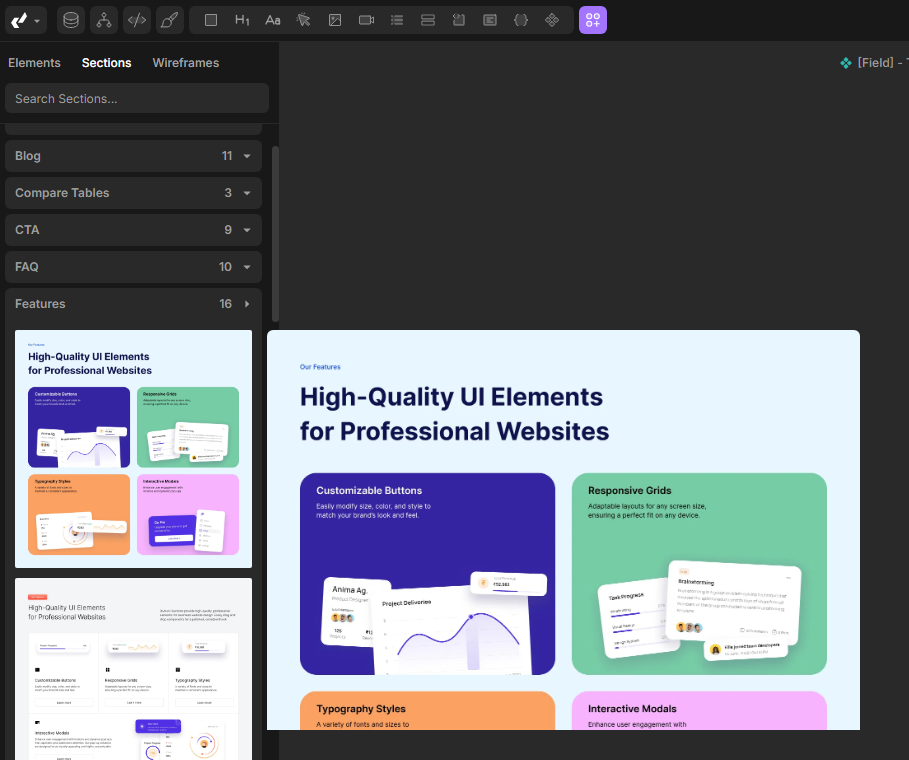
New Sections
We’ve added bunch of new pre-designed sections that you can easily drag and drop into your project. These sections are designed to save you time while still maintaining full customizability.
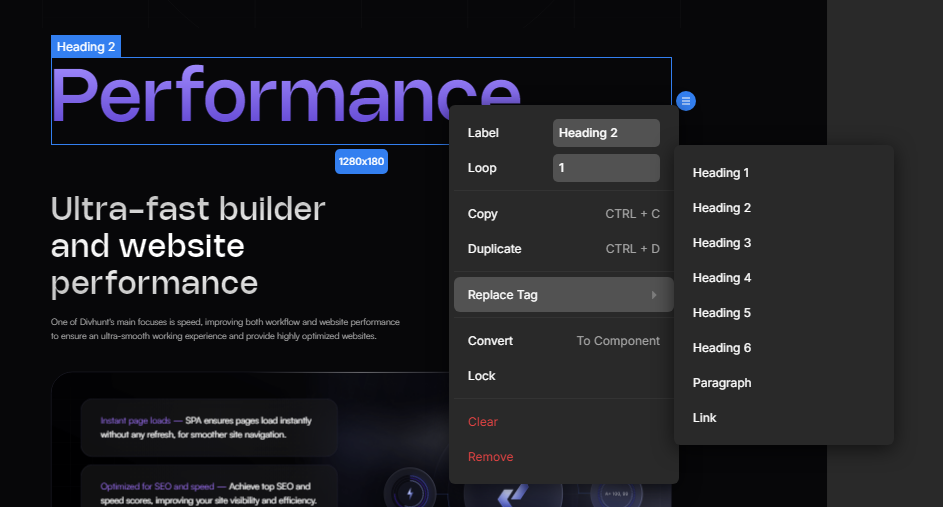
Replace Tag
Replacing tags was always possible, but the option was difficult to find due to poor UX. Now, you can simply right-click on any tag in the canvas or layers panel to quickly transform it into a different tag, making the process much more intuitive and efficient.
Overflow Clip
The new overflow clip feature is similar to overflow hidden, but it ensures that the sticky functionality of child elements is preserved. It's ideal for when you want to hide content without disrupting sticky positioning.
Text-wrap: Balance
With the balance text option, your lines of text will now be as equal in length as possible. This keeps your content looking neat and balanced, without affecting the width of the text container.
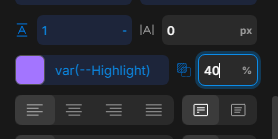
Color Variables Opacity
You can now adjust the opacity of color variables directly when they’re saved in rgba or hsla format. No need to create multiple variables for the same color—just tweak the opacity as needed.
Preferences
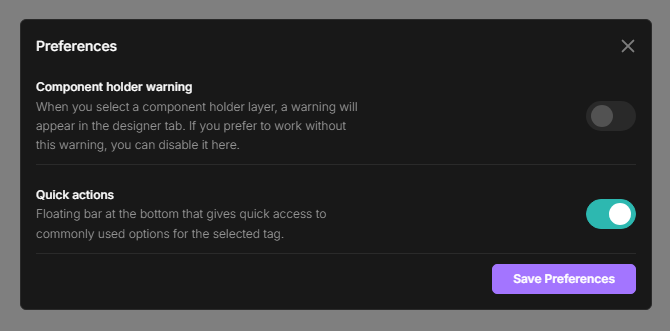
We've introduced a new "Preferences" panel, designed to help you customize your experience to suit your needs. While there are currently only two options available, we plan to add many more in the future!
Quick actions
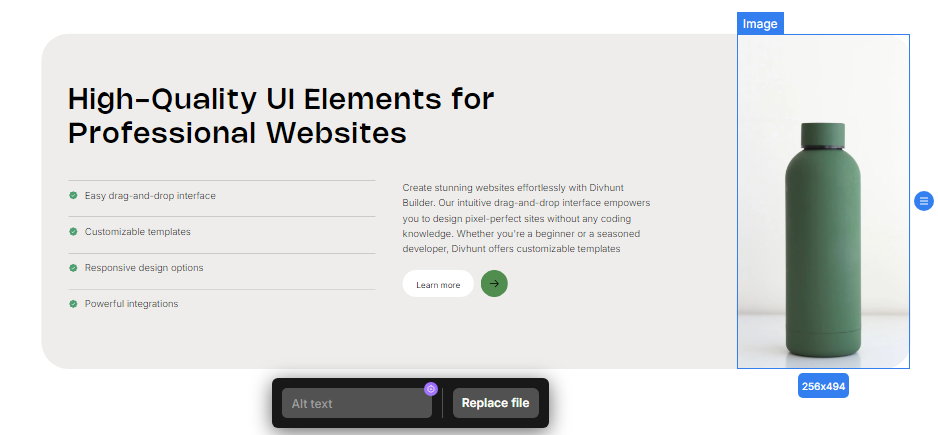
We're continuously working on improving the UI/UX of Divhunt to make building faster and more efficient. That's why we've introduced the new 'quick actions bar,' which provides access to frequently used options based on your currently selected tag. For instance, if you select an image, you can quickly swap it or add alt text. When working with collections, you'll have a faster way to connect variables and more. If you don't prefer this feature, you can disable it in the Preferences panel we mentioned earlier.
Language Switcher
We've added a language switcher in the predefines panel that you can simply drag and drop into your project, and it will work seamlessly out of the box. You can fully customize its style to fit your design. Please note: the Popup plugin must be installed for this feature to function properly.
Layers Improvements
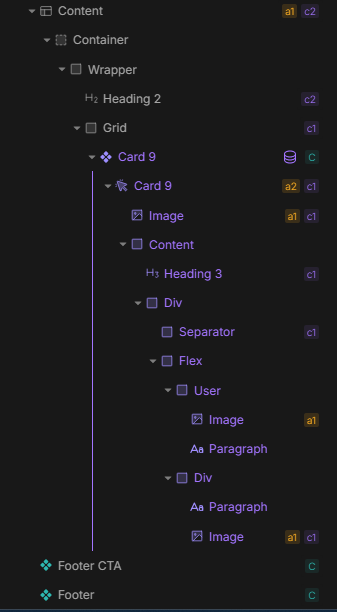
We've redesigned our layers panel, giving collections and iterables distinct colors for easier identification. The panel now also displays additional information, such as which tags have transform options or are linked to your CMS, among other details. These updates make navigating complex projects simpler and more transparent.
Source - Custom Key Name
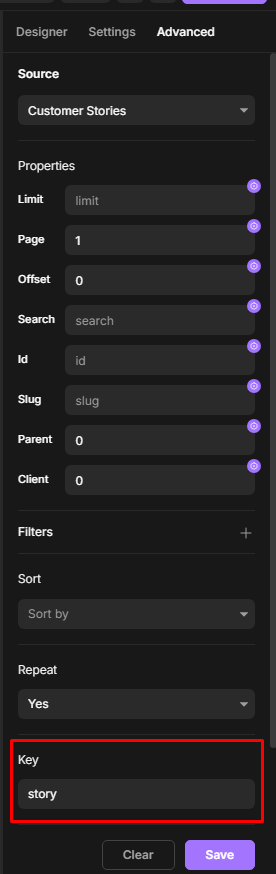
Previously, when working with sources, all data was stored under the key "value," which made it confusing, especially when dealing with complex setups like nested Collections, Iterables or REST APIs. Now, when you call a collection, you can assign it a custom key, which will be reflected in your variables panel. This makes connecting variables clearer and allows you to nest without limitations.
CMS Offset
The new CMS offset feature allows you to skip certain items when displaying a collection. By inputting a number, you can control which items are displayed first, starting from the number you choose.
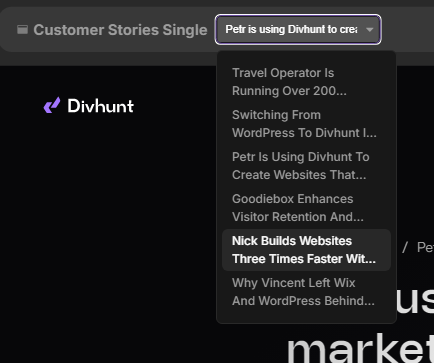
CMS Item Switcher
On the CMS single page, you can now use a drop-down menu to select which item from a collection will be displayed in the builder. This is great for previewing different items without needing to manually swap them out.
Improved CMS Import/Export
The CMS import/export system has been enhanced to make importing items from other platforms easier. You’ll have fewer compatibility issues and a smoother workflow when transferring content into Divhunt.
CMS Sitemap Toggle
You can now control whether collection items are added to the sitemap directly from the collection settings, without needing to go to SEO settings.
Plugins Tutorials
We now have tutorials available for all of our plugins! Head over to the marketplace, go to plugins, and you’ll find both video and written guides to help you get the most out of each plugin.
New Plugins
We’ve released three exciting new plugins:
- Image Hover Effect: Create stunning hover transition between two images in seconds.
- Scroll to Top: Add a scroll-to-top button to your page, giving users a seamless way to navigate.
- Toggle Visibility: Perfect for pricing tables, this plugin lets users switch between different views with a single click.
Text Animation Plugin Update
Our text animation plugin has been updated with even more options to create dynamic and engaging text animations quickly.
Build and publish websites for free
Build and host your site with a custom domain for free. Upgrade anytime for expanded limits.
Build for free

Divhunt - Build websites. Faster. Better. Visually.


©2026 Divhunt GmbH. All Rights Reserved.

Built in Divhunt
We use cookies.
By clicking “Accept All”, you agree to the storing of cookies on your device to enhance site navigation, analyze site usage, and assist in our marketing efforts. View ourCookie Policyfor more information.
Optahunt
Preferences
Manage your cookie preferences.
Essentials
Always Active
These are required for the website to work, like remembering your privacy settings, keeping you logged in, or enabling secure payments.
Performance
These help us understand how people use our site (like which pages are most popular) so we can make improvements.
Personalization
These allow the site to remember your preferences (such as language or region) and provide enhanced features.
Advertising & Targeting
These are used to deliver ads more relevant to you, limit how often you see them, and measure campaign performance.
Save my preferences
You can always change these settings later via ourCookie Policy pagepage, or via the cookie widget placed at the bottom left of the page.