Last chance to get lifetime deal


Convenient way to filter projects, blogs, or related content based on categories and similar.

Overview
This neat plugin makes sorting content a breeze, ideal for galleries or articles. It includes a handy 'Load More' feature, keeping your site clean and your visitors engaged.
Instructions
Installing
- In your Divhunt project settings, go to 'Browse Plugins'.
- Search for and install the 'Simple Filtering' plugin.
Setting up the structure
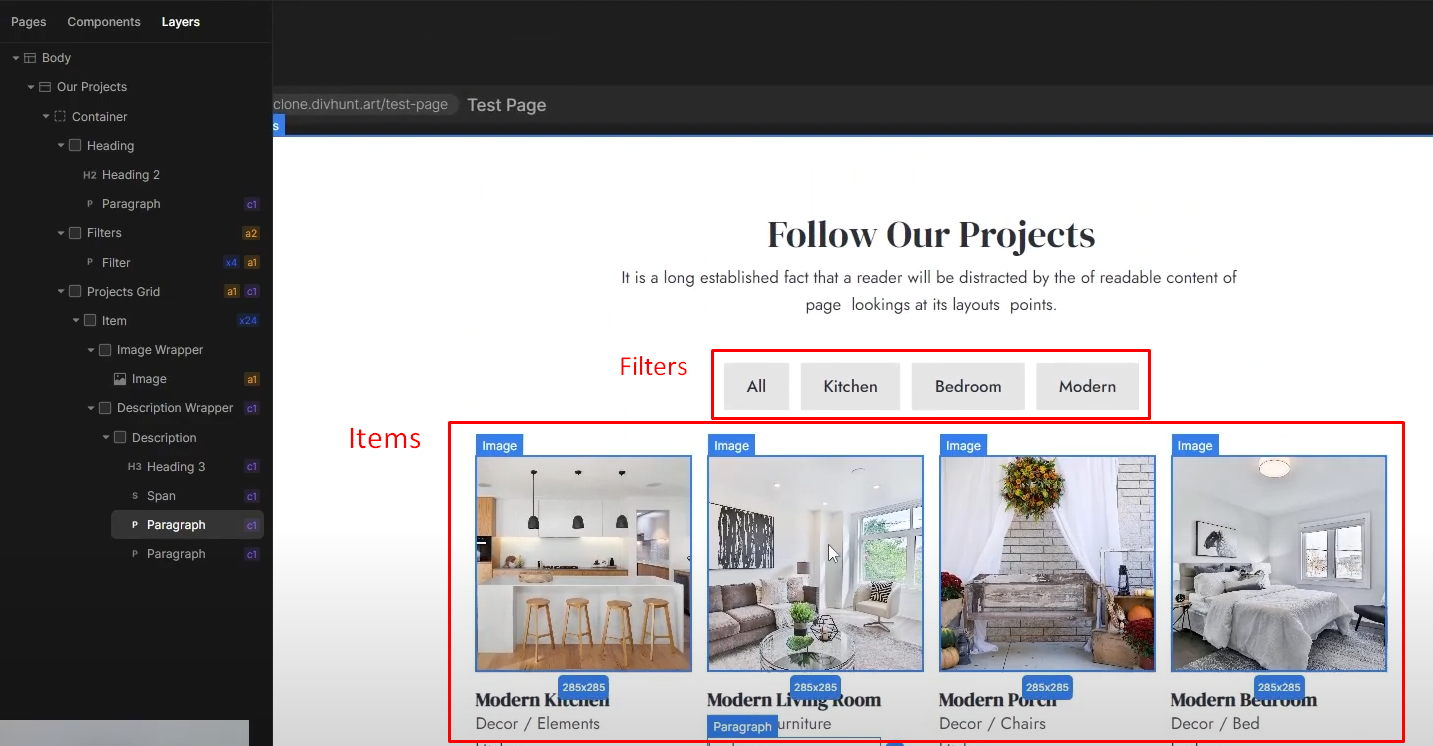
- Make a div for your filters and buttons for each filter inside.
- Create a grid div to hold these items, and assign it an ID (e.g., 'projects').
- Inside of that div, create elements that you want to filter, such as blog, cards, images, etc.
Configuring filters
- Select the filters div, go to Settings panel and set the transform to 'Simple Filter'.
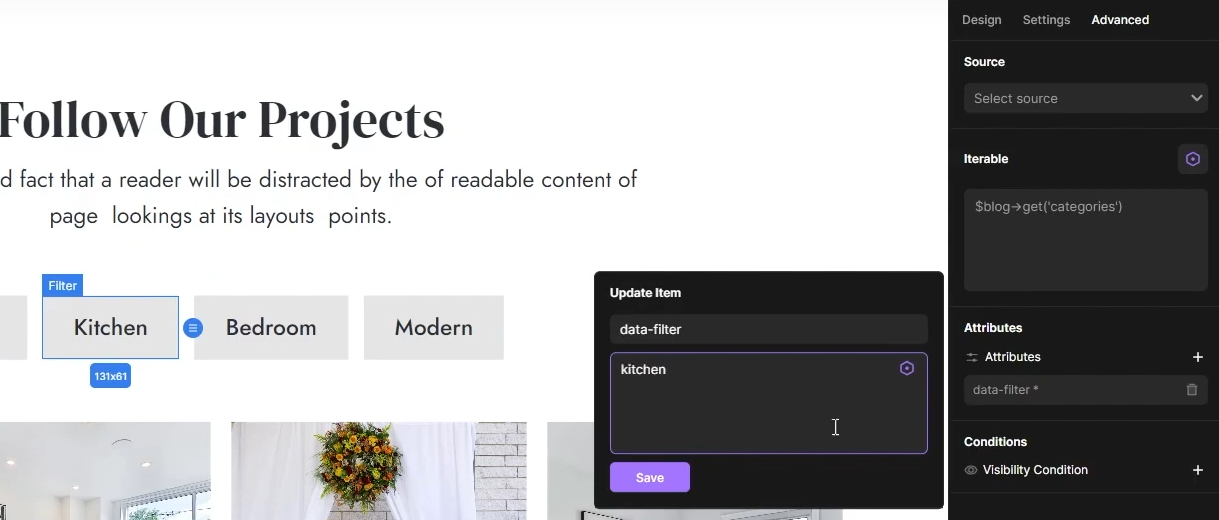
- Each filter button needs a 'data-filter' attribute. For instance, set 'data-filter="kitchen"' for kitchen items. Use 'data-filter="*"' for the button that shows all items.
Adding filter property to items
- Add a paragraph or span within each item in your grid, containing the category name (e.g., 'kitchen', 'bedroom'). You can keep this element hidden on your live website.
- Assign the class 'data-filter' to these paragraphs or spans as well.
Customizing and Activating Filters:
- Customize the appearance of active filters (like changing the color when selected).
- Optionally, set a default active filter (e.g., 'kitchen') so that when users first visit the page, only items from that category are shown.
Lazy Load / Load More Option
In case that you don't want all the items loaded initally:
- Create a load more button below the items and give it a unique label in order to find it easier in next step.
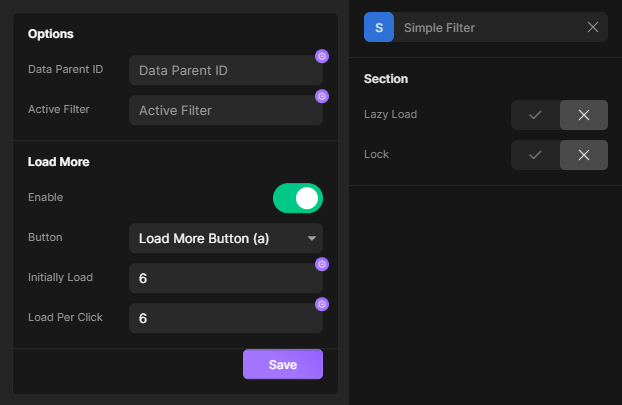
- Open Simple Filter transform settings, for the button select the button you just created in step above.
- Set desired initially load & load per click values.
More plugins
Browse all plugins
Free

Typed.js
Typed.js is a library that types. Enter in any string, and watch it type at the speed you've set, backspace what it's typed, and begin a new sentence for however many strings you've set.
Divhunt
Free

PaginationJS
Easily paginate your website's content, perfect for both CMS-based and static elements.
Divhunt
Free

Scroll to top
Easily add a smooth scroll-to-top button for quick navigation.
Divhunt
Free

Vimeo Embed
Easily embed a Vimeo video and customize it with a user-friendly interface, including settings like aspect ratio, autoplay, mute, and more in just a few seconds.
Divhunt
Create and sell your templates and plugins

Divhunt - Build websites. Faster. Better. Visually.


©2026 Divhunt GmbH. All Rights Reserved.

Built in Divhunt
We use cookies.
By clicking “Accept All”, you agree to the storing of cookies on your device to enhance site navigation, analyze site usage, and assist in our marketing efforts. View ourCookie Policyfor more information.
Optahunt
Preferences
Manage your cookie preferences.
Essentials
Always Active
These are required for the website to work, like remembering your privacy settings, keeping you logged in, or enabling secure payments.
Performance
These help us understand how people use our site (like which pages are most popular) so we can make improvements.
Personalization
These allow the site to remember your preferences (such as language or region) and provide enhanced features.
Advertising & Targeting
These are used to deliver ads more relevant to you, limit how often you see them, and measure campaign performance.
Save my preferences
You can always change these settings later via ourCookie Policy pagepage, or via the cookie widget placed at the bottom left of the page.