











Hamburger Menu
Skip the hassle of writing JavaScript for mobile hamburger menus. This plugin takes care of it for you, you just need to call this transform on your hamburger button.
Watch the video tutorial on YouTube
Skip the hassle of writing custom code for mobile hamburger menus. This plugin takes care of it for you, you just need to call this transform on your hamburger button. You still need to style your menu as desired. When the button is clicked, this plugin manages the toggling of your menu, and you have several animations to choose from.
Instructions
We will assume that you have already appropriately styled your menu for mobile screens and assigned it an ID that we will use in our transform. For the best understanding of this plugin, please refer to the video tutorial above.
Installation
- Go to the settings of your project and navigate to "Browse Plugins".
- Find and install the "Hamburger Menu" plugin.
Drag & drop pre-made hamburger element
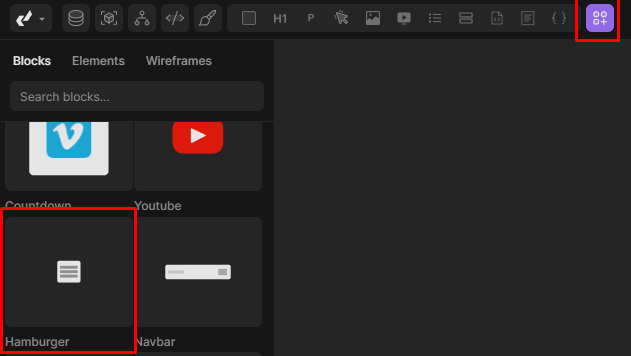
- In the top left corner, open 'Elements' and locate 'Hamburger'. Drag and drop it to the desired location. This element is pre-styled for common use-cases and features an appealing animation when clicked.
- Select the hamburger icon, then navigate to the 'Settings' panel to access the transform settings.
- Menu ID: Here, provide the ID of your menu whose visibility will toggle when the hamburger is clicked.
- Animation: Conveniently set the animation for how your menu appears or disappears.
- Show: Since your menu is hidden by default, temporarily enable 'show' to edit the contents of your menu.
- Flex on Show: In certain situations, you may want your visible menu to display as 'flex' instead of the default 'block'.
Simple Search
Simple way to add search and highlight features to your website, making it easier for visitors to find what they need.
Divhunt
Tabs
Create simple tabs or something advanced such as tabs with autoplay and navigation functionality in just few clicks.
Divhunt
Pikaday
A refreshing JavaScript Datepicker - lightweight, no dependencies, modular CSS.
Divhunt
Hubspot Forms
Collect and forward all submission data directly to Hubspot - without the code.
Divhunt